The Best Security Cameras

Security camera reviews UK: compare the best security cameras

Compare security cameras with independent expert reviews, COR Scores and exact-model specifications. Find the best fit for your needs, explore the buying advice below and check available UK retailer offers.

Show moreShow less

Choosing the best security cameras starts with how you will use them. Consider front entrance or drive, indoor monitoring, local recording, then match the features and practical requirements to your shortlist.

Our UK security camera reviews comparison brings together published critics’ assessments and recorded product specifications. A COR Score converts eligible ratings to five points and gives each publisher equal weight. Read the original reviews for the reasoning, tested configuration and review date; an average becomes available after three distinct critics.

Use the available category filters to explore recorded features. Open each product to check its full manufacturer code, configuration and current review coverage. Compare retailer offers for that exact version, including condition, accessories and delivery.

Below the results, explore the buying guides, work through how to choose, or use the glossary to make sense of unfamiliar specifications.

1350 listed model optionsHow COR Scores workWhat we cover

150 product listingsShowing 1–12

EZVIZ CS-CV310-C0-6B22WFR

EZVIZ

C3X

Type
Security camera
Placement supported
Not confirmed
Maximum resolution
1920 × 1080
Night vision
Not confirmed

Current

EZVIZ C3X
Model code: CS-CV310-C0-6B22WFR

COR Score3.90out of 55 critics
TP-Link Tapo C410

TP-Link

Smart Wire-Free Indoor/Outdoor Security Camera (Tapo C410)

Shown option: Smart Wire-Free Indoor/Outdoor Security Camera (Tapo C410). Scores shown apply to this option.

Type
Security camera
Placement supported
Not confirmed
Maximum resolution
2K 3MP (2304 × 1296 px)
Night vision
850 nm IR LED (30 ft / 9.1 m) Full-Color Night Vision

Current

TP-Link Smart Wire-Free Indoor/Outdoor Security Camera (Tapo C410)
Model code: Tapo C410

2 model options — compare versions

Specifications, review scores and prices belong to each exact model.

COR Score3.83out of 53 critics

BOSCH

NDN-832V03-P

Type
Not confirmed
Placement supported
Not confirmed
Maximum resolution
Not confirmed
Night vision
Not confirmed

Current

Bosch NDN-832V03-P security camera
Model code: NDN-832V03-P

COR ScoretbdAvailable after 3 critic reviews0 critics
D-Link DCS-6314BS

D-Link

DCS-6314BS

Type
Not confirmed
Placement supported
Not confirmed
Maximum resolution
640 x 480 pixels
Night vision
Yes

Current

D-Link DCS-6314BS security camera Cube 640 x 480 pixels Desk
Model code: DCS-6314BS

COR ScoretbdAvailable after 3 critic reviews0 critics
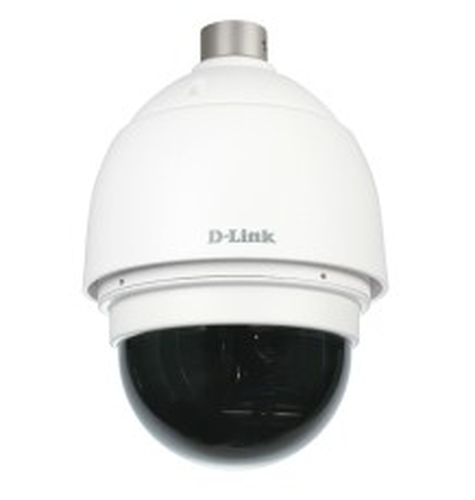
D-Link DCS-6915BS

D-Link

DCS-6915BS

Type
IP security camera
Placement supported
Outdoor
Maximum resolution
1920 x 1080 pixels
Night vision
Not confirmed

Current

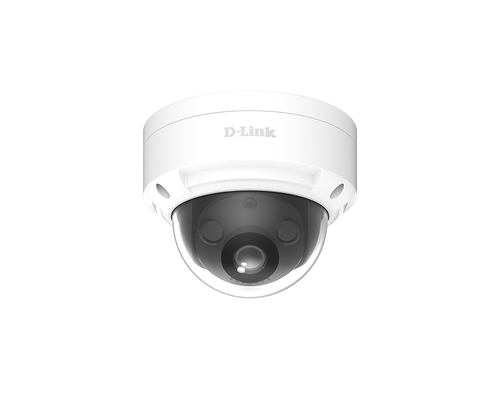
D-Link DCS-6915BS security camera Dome IP security camera Outdoor 1920 x 1080 pixels Ceiling
Model code: DCS-6915BS

COR ScoretbdAvailable after 3 critic reviews0 critics

Select a product to check its exact model, reviewed version and available retailer offers. Matching model options are grouped together where supported; the displayed score belongs to the shown option. Individual critic reviews remain visible while a product builds towards three critics for a COR Score.

Your reading library

Security camera buying guides

Understand the features and specifications you see in security camera reviews. Read the complete guide or explore a focused topic.

Read the complete buying guide Back to the results ↑

Your six-step checklist

How to choose the right security cameras

Find the best fit for your priorities, your setup and your budget.

Turn expert security camera reviews into a shortlist with these six practical checks.

01

Inspect day and night views

Visit the camera location in daylight and darkness before choosing.

Your decision Inspected viewing conditions.

02

Plan maintainable power and network

Choose power and network route that can be maintained safely.

Your decision Planned maintainable connections.

03

Compare storage and export

Check local or cloud storage, retention, subscription and clip export.

Your decision Compared storage options.

04

Read night-performance reviews

Read reviews for useful night detail and alert reliability.

Your decision Read night-performance evidence.

05

Secure accounts and access

Set strong password, two-step verification, updates and limited access.

Your decision Secured account access.

06

Set proportionate privacy zones

Use privacy zones and position the camera proportionately.

Your decision Set privacy boundaries.

Ready to build your shortlist? Use these checks to narrow the results, then read the evidence for each exact model.

Make it work for you

Plan useful camera coverage

Turn your everyday needs into a practical setup. Record these details before comparing your final shortlist.

Picture it in everyday use

  1. Visit the intended location in daylight and darkness.
  2. Choose maintainable power and network routes for the mounted position.
  3. Set storage, access and privacy expectations for recorded footage.
Explore the complete setup guide →
Your security camera planning notes
RequirementWhat to record or check
Viewing conditionsDay and night view, subject distance, light and framing
Maintenance routePower, network, charging, storage access and safe maintenance
Evidence storageLocal or cloud storage, retention, subscriptions and clip export
Privacy and securityAccounts, updates, permissions, masking and proportionate positioning

Use the exact model’s manual and manufacturer specifications to confirm measurements, connections and supported features.

Keep your priorities together. A short set of notes makes it easier to compare complete offers and discuss your requirements with a retailer or installer.

Privacy and service

Position cameras to capture the purpose, not more than necessary. Use masking where offered and consider visitors, neighbours and shared areas. Seek appropriate advice for your property and circumstances.

Practical check A clear support end date, current firmware route and replacement mount or power supply availability are ownership questions. Buy a product you can maintain, not a camera whose account or app is already approaching end of life.

Explore this in the buying guide →

Recognition distance and evidence

Plan the view around the distance at which a person or vehicle must be useful, then check day and night samples at that distance. A very wide view covers more area but allocates fewer pixels to a face near the edge.

Practical check Check timestamp, clip export, retention and account access before relying on footage. Storage is useful only if clips can be found and shared appropriately when an event occurs.

Explore this in the buying guide →

Power and maintenance route

Battery cameras need a safe charging routine; wired cameras need a weatherproof, properly installed cable route. Choose the maintenance burden you can sustain, rather than assuming battery is always simpler.

Practical check Before drilling or mounting, consider ladder access, landlord permission, sight lines and how the device will be reset or removed. Use a qualified installer for relevant electrical or structural work.

Explore this in the buying guide →

Compare with a purpose

Find the right security cameras for the way you use them

Choose your main priority, then compare the evidence that matters most for your setup.

Your main useWhat to look forWhat to weigh up
Front entrance or driveViewing angle, night image, privacy zones and alert qualityA wider view can make distant details smaller.
Indoor monitoringPrivacy controls, physical shutter or schedule and household consentRemote access creates a larger privacy exposure.
Local recordingStorage capacity, backup and network setupLocal storage still needs secure access and maintenance.
  1. 01

    Compare the complete cost

    Include the product, delivery, required accessories and any setup or installation. Check relevant consumables, subscriptions and replacement parts over the period you expect to own it.

  2. 02

    Prioritise everyday features

    Use your planning notes to identify essential functions and connections. Confirm them for the exact model and configuration, then weigh optional features against the difference in price.

  3. 03

    Read beyond the average

    Read the original critics’ findings for your priorities. Check the date and tested version, then compare the evidence alongside the COR Score and number of distinct critics.

  4. 04

    Match the complete offer

    Check the manufacturer code, generation, configuration, condition and included items. Confirm stock, delivered price, returns and warranty terms with the retailer before ordering.

Independent reviews, made comparable

What does the COR Score mean?

One consistent scale makes different publishers’ ratings easier to compare. The original review explains why a critic reached that verdict.

Read our scoring methodology →

Scale conversion · example

8/ 104.00/ 5

An illustration of conversion, not a rating for a listed product.

  1. 01

    Check the match

    Identify the exact product and the version reviewed. Check model codes, configuration and the included package.

  2. 02

    Compare on one scale

    Convert eligible ratings to five points, count each publisher once and give every critic equal weight.

  3. 03

    Require three critics

    Show the average to two decimal places after three distinct critics. Otherwise show tbd while keeping individual reviews visible.

Read the score alongside the critic count, review dates, tested version and strengths that matter to you. Linked reviews of related hardware remain separate from the selected product’s score.

Explore the catalogue

A growing choice to discover

Compare the recorded models, explore different configurations and follow the available expert reviews. Use each product page for its latest evidence and retailer links.

Return to the results ↑
Listed model options
1350
Options with critic ratings
150
Brands to explore
57

Explore your options

Browse brands and features

Follow a manufacturer or a selection based on recorded product features.

Your questions, answered

Security camera buying FAQ

Ten answers to help you make an informed choice.

01Is higher resolution always better?

No. Lens angle, lighting, placement, compression and subject distance determine whether an image is useful.

02Can I view a camera remotely?

Many can, but remote access has privacy and security implications. Secure the account and use it only where needed.

03Do cameras work in the dark?

Some use infrared or added lighting, with varying results. Read independent night tests for the location you plan.

04How do I choose the best security cameras for my needs?

Start with your main use, practical setup and total budget. The comparison table above identifies useful features for different priorities. Use the category filters, then check exact-model specifications and the original reviews for your shortlist.

05What does the COR Score tell me?

It summarises eligible independent critic ratings on a five-point scale, with one equally weighted rating per publisher. The displayed average has two decimal places. Open the original reviews to see how the findings relate to your priorities.

06Why do some products display tbd?

A public COR Score becomes available after three distinct critics. Until then, tbd indicates that review coverage is still building; available individual reviews remain visible. It is different from a zero rating.

07Does a review cover every version or accessory bundle?

Check the version actually reviewed. Confirmed equivalent colour, storage or accessory variants can share model-level reviews with a tested-version label. Related hardware, different generations and other distinct editions are shown separately and do not contribute to the selected product’s score.

08How can I filter the security cameras?

Filters use the recorded specifications for each model or option. Choose a brand or feature, then apply your filters to narrow the results. Missing information is not treated as confirmed feature support. Open the product page to check the full specification.

09What should I check when comparing retailer offers?

Match the complete manufacturer code, configuration, condition and included items. Add delivery and necessary accessories to compare the total cost, and confirm stock, warranty and returns details with the retailer.

10How should I use older reviews or previous-generation models?

Check the review date, tested version and current manufacturer support. Compare the features you need, replacement parts or consumables where relevant, and the complete offer. A useful older review can still explain a model well, while availability and services may have changed.

Specifications, explained

Security camera glossary

Understand the terms, then use the buying checks to compare exact models.

Image evidence4 terms
Display resolution

The number of picture elements used to form a display, image or video frame, usually expressed as horizontal and vertical pixel counts.

Buying check Check the resolution supported in the mode you will use; compare real detail and clarity in independent tests.

Field of view

The extent of a scene captured by a camera or visible through an optical system.

Buying check Check whether the quoted angle is horizontal, vertical or diagonal.

Night vision

Methods used to capture images in low light, such as infrared illumination or additional visible light.

Buying check Compare recognition detail, motion and reflections in realistic night tests.

Video frame rate

The number of recorded or displayed video frames per second.

Buying check Check the resolution, crop, recording limits and storage requirements at that rate.

Detection and recording4 terms
Passive infrared / PIR

A sensor that detects changes in infrared energy across its sensing area.

Buying check Read positioning guidance and limits for pets, heat sources and the intended room.

Activity zone

A selected area of a camera image used by supported motion or notification features.

Buying check Check which detection and recording functions the zone actually controls.

Local storage

Recordings saved on equipment such as a memory card, recorder or home hub.

Buying check Check capacity, overwrite behaviour, access and what happens if the device is removed.

Cloud recording

Recordings stored using a remote service.

Buying check Check retention, subscription costs, access controls and internet requirements.

Network and ownership4 terms
Power over Ethernet / PoE

A method of supplying compatible network devices with power through an Ethernet connection.

Buying check Check the required PoE standard, power budget and supported network equipment.

Wi-Fi

A wireless network connection used for internet access or communication on a local network.

Buying check Check supported bands and signal quality at the intended location.

Recording retention

The time period or storage limit over which recordings remain available.

Buying check Check the plan, overwrite rules and export process before relying on recordings.

Software update support

The manufacturer’s provision of software fixes, security updates or feature changes.

Buying check Look for a published support policy for the exact model and region.

Technical sources and further reading · Check the exact model’s manufacturer documentation for supported features.