The Best Desktop PCs

Desktop PC reviews UK: compare the best desktop pcs

Compare desktop pcs with independent expert reviews, COR Scores and exact-model specifications. Find the best fit for your needs, explore the buying advice below and check available UK retailer offers.

Show moreShow less

Choosing the best desktop pcs starts with how you will use them. Consider home office, gaming and creation, family computer, then match the features and practical requirements to your shortlist.

Our UK desktop pc reviews comparison brings together published critics’ assessments and recorded product specifications. A COR Score converts eligible ratings to five points and gives each publisher equal weight. Read the original reviews for the reasoning, tested configuration and review date; an average becomes available after three distinct critics.

Use the available category filters to explore recorded features. Open each product to check its full manufacturer code, configuration and current review coverage. Compare retailer offers for that exact version, including condition, accessories and delivery.

Below the results, explore the buying guides, work through how to choose, or use the glossary to make sense of unfamiliar specifications.

4461 listed model optionsHow COR Scores workWhat we cover

1689 product listingsShowing 733–744

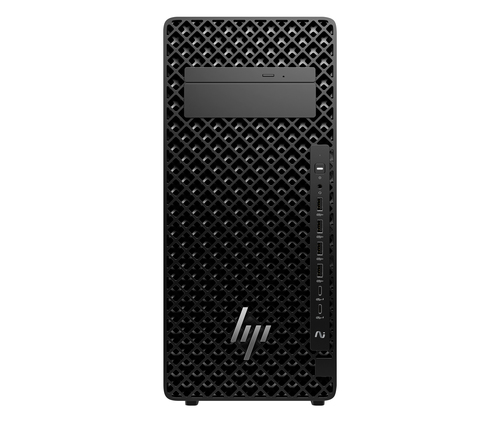
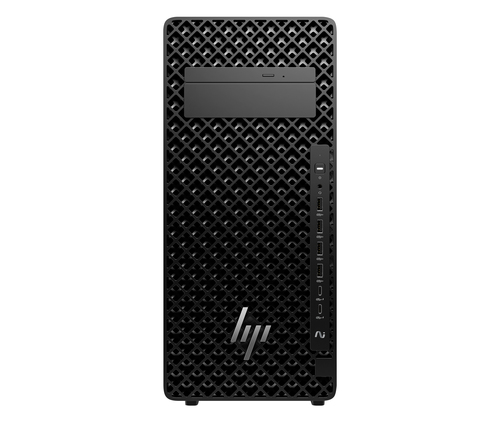
HP DP9W9ET

HP

DP9W9ET

Processor family
Intel Core Ultra 9
Internal memory
64 GB
Total storage capacity
1 TB
Operating system installed
Windows 11 Pro

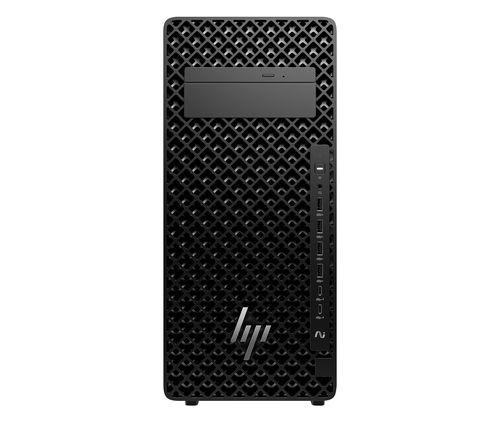
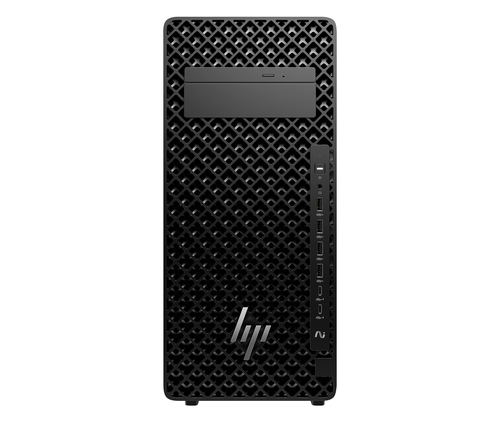
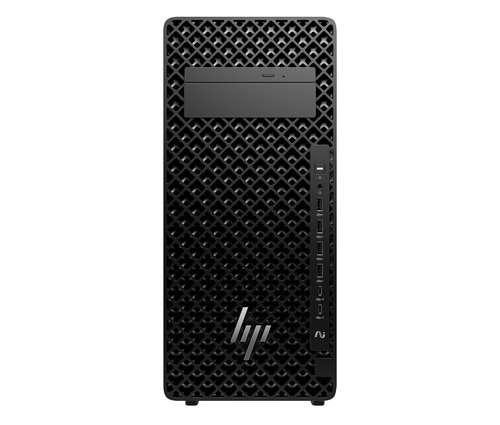
HP DP9W9ET PC/workstation Intel Core Ultra 9 285K 64 GB DDR5-SDRAM 1 TB SSD Windows 11 Pro Tower AI Workstation, AI PC Black
Model code: DP9W9ET

COR ScoretbdAvailable after 3 critic reviews0 critics
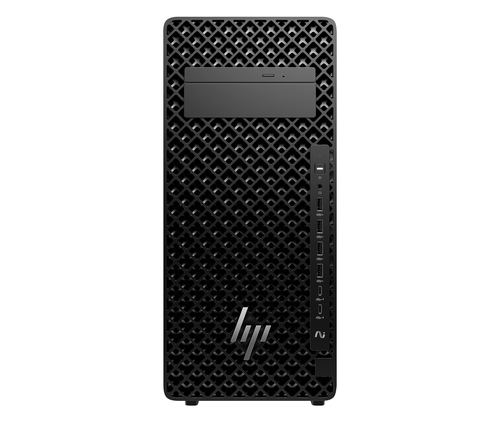
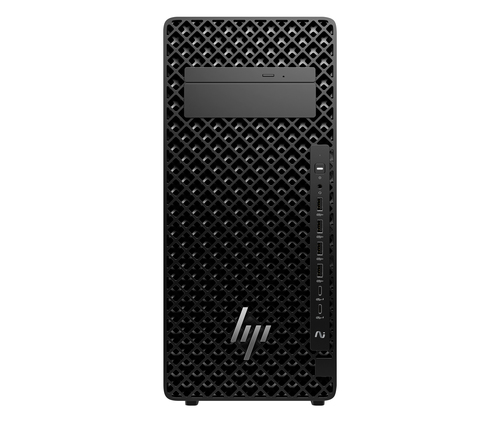
HP DP9X0ET

HP

DP9X0ET

Processor family
Intel Core Ultra 9
Internal memory
64 GB
Total storage capacity
1 TB
Operating system installed
Windows 11 Pro

HP DP9X0ET PC/workstation Intel Core Ultra 9 285K 64 GB DDR5-SDRAM 1 TB SSD Windows 11 Pro Tower AI Workstation, AI PC Black
Model code: DP9X0ET

COR ScoretbdAvailable after 3 critic reviews0 critics
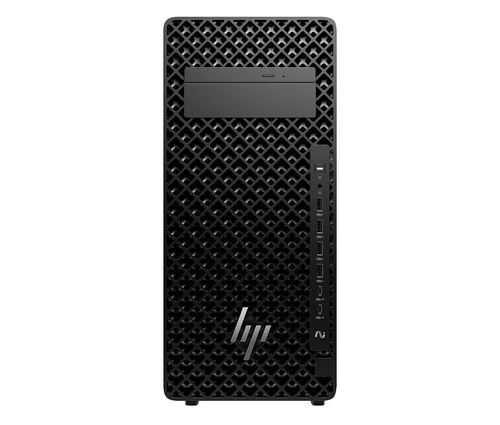
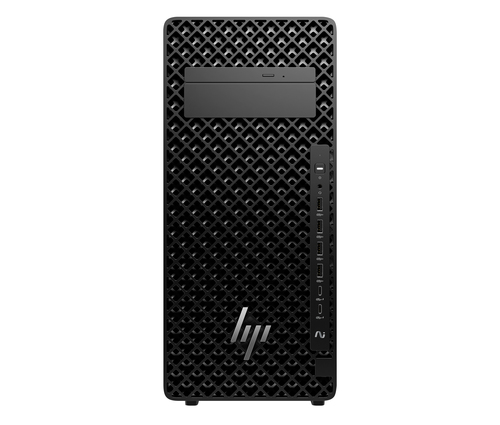
HP DP9X2ET

HP

DP9X2ET

Processor family
Intel Core Ultra 7
Internal memory
64 GB
Total storage capacity
1 TB
Operating system installed
Windows 11 Pro

HP DP9X2ET PC/workstation Intel Core Ultra 7 265K 64 GB DDR5-SDRAM 1 TB SSD Windows 11 Pro Tower AI Workstation, AI PC Black
Model code: DP9X2ET

COR ScoretbdAvailable after 3 critic reviews0 critics
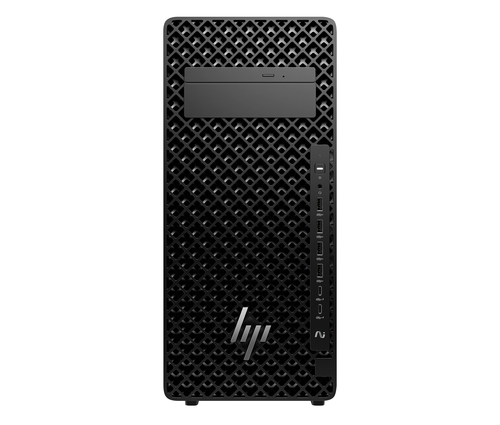
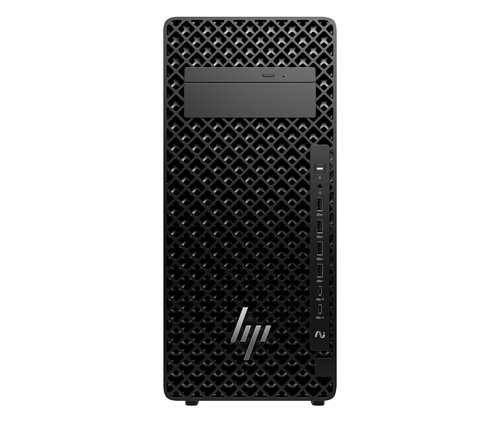
HP DP9X3ET

HP

DP9X3ET

Processor family
Intel Core Ultra 7
Internal memory
64 GB
Total storage capacity
1 TB
Operating system installed
Windows 11 Pro

HP DP9X3ET PC/workstation Intel Core Ultra 7 265K 64 GB DDR5-SDRAM 1 TB SSD Windows 11 Pro Tower AI Workstation, AI PC Black
Model code: DP9X3ET

COR ScoretbdAvailable after 3 critic reviews0 critics
HP DP9X4ET

HP

DP9X4ET

Processor family
Intel Core Ultra 7
Internal memory
32 GB
Total storage capacity
1 TB
Operating system installed
Windows 11 Pro

HP DP9X4ET PC/workstation Intel Core Ultra 7 265K 32 GB DDR5-SDRAM 1 TB SSD Windows 11 Pro Tower AI Workstation, AI PC Black
Model code: DP9X4ET

COR ScoretbdAvailable after 3 critic reviews0 critics
HP DP9X5ET

HP

DP9X5ET

Processor family
Intel Core Ultra 7
Internal memory
32 GB
Total storage capacity
1 TB
Operating system installed
Windows 11 Pro

HP DP9X5ET PC/workstation Intel Core Ultra 7 265K 32 GB DDR5-SDRAM 1 TB SSD Windows 11 Pro Tower AI Workstation, AI PC Black
Model code: DP9X5ET

COR ScoretbdAvailable after 3 critic reviews0 critics
HP DP9Z6ET

HP

DP9Z6ET

Processor family
Intel Core Ultra 9
Internal memory
64 GB
Total storage capacity
1 TB
Operating system installed
Windows 11 Pro

HP DP9Z6ET PC/workstation Intel Core Ultra 9 285K 64 GB DDR5-SDRAM 1 TB SSD Windows 11 Pro Tower AI Workstation, AI PC Black
Model code: DP9Z6ET

COR ScoretbdAvailable after 3 critic reviews0 critics
HP DQ0A2ET

HP

DQ0A2ET

Processor family
Intel Core Ultra 7
Internal memory
32 GB
Total storage capacity
1 TB
Operating system installed
Windows 11 Pro

HP DQ0A2ET PC/workstation Intel Core Ultra 7 265 32 GB DDR5-SDRAM 1 TB SSD Windows 11 Pro Tower AI Workstation, AI PC Black
Model code: DQ0A2ET

COR ScoretbdAvailable after 3 critic reviews0 critics
HP DQ2Z9EA

HP

DQ2Z9EA

Processor family
AMD Ryzen™ 7
Internal memory
32 GB
Total storage capacity
1 TB
Operating system installed
Windows 11 Pro

HP DQ2Z9EA PC/workstation AMD Ryzen™ 7 9800X3D 32 GB DDR5-SDRAM 1 TB SSD NVIDIA GeForce RTX 5090 Windows 11 Pro Tower Black
Model code: DQ2Z9EA

COR ScoretbdAvailable after 3 critic reviews0 critics
HP DQ6D2ET

HP

DQ6D2ET

Processor family
Intel Core Ultra 7
Internal memory
32 GB
Total storage capacity
1 TB
Operating system installed
Windows 11 Pro

HP DQ6D2ET PC/workstation Intel Core Ultra 7 32 GB DDR5-SDRAM 1 TB SSD Windows 11 Pro Tower AI Workstation, AI PC Black
Model code: DQ6D2ET

COR ScoretbdAvailable after 3 critic reviews0 critics
HP DQ6D3ET

HP

DQ6D3ET

Processor family
Intel Core Ultra 7
Internal memory
64 GB
Total storage capacity
1 TB
Operating system installed
Windows 11 Pro

HP DQ6D3ET PC/workstation Intel Core Ultra 7 64 GB DDR5-SDRAM 1 TB SSD Windows 11 Pro Tower AI Workstation, AI PC Black
Model code: DQ6D3ET

COR ScoretbdAvailable after 3 critic reviews0 critics
HP DQ6D4ET

HP

DQ6D4ET

Processor family
Intel Core Ultra 7
Internal memory
64 GB
Total storage capacity
1 TB
Operating system installed
Windows 11 Pro

HP DQ6D4ET PC/workstation Intel Core Ultra 7 64 GB DDR5-SDRAM 1 TB SSD Windows 11 Pro Tower AI Workstation, AI PC Black
Model code: DQ6D4ET

COR ScoretbdAvailable after 3 critic reviews0 critics

Select a product to check its exact model, reviewed version and available retailer offers. Matching model options are grouped together where supported; the displayed score belongs to the shown option. Individual critic reviews remain visible while a product builds towards three critics for a COR Score.

Your reading library

Desktop PC buying guides

Understand the features and specifications you see in desktop pc reviews. Read the complete guide or explore a focused topic.

Read the complete buying guide Back to the results ↑

Your six-step checklist

How to choose the right desktop pcs

Find the best fit for your priorities, your setup and your budget.

Turn expert desktop pc reviews into a shortlist with these six practical checks.

01

Budget the complete setup

Budget for monitor, keyboard, mouse, cables and operating system if absent.

Your decision Costed working setup.

02

Match components to applications

Match processor, memory and graphics to named applications.

Your decision Matched applications.

03

Measure desk and ventilation

Measure desk and ventilation space, including cable access.

Your decision Measured desktop space.

04

Confirm display support

Confirm monitor outputs, resolution and refresh support.

Your decision Confirmed display support.

05

Check upgrades and warranty

Check service manual, upgrade slots and warranty conditions.

Your decision Checked upgrade route.

06

Plan accounts and backups

Set up accounts, backups and updates from the first day.

Your decision Planned recovery routine.

Ready to build your shortlist? Use these checks to narrow the results, then read the evidence for each exact model.

Make it work for you

Plan the complete desktop

Turn your everyday needs into a practical setup. Record these details before comparing your final shortlist.

Picture it in everyday use

  1. List the computer, display, peripherals and software the offer must include.
  2. Measure desk space, ventilation and cable access.
  3. Check the service manual before treating future upgrades as available.
Explore the complete setup guide →
Your desktop pc planning notes
RequirementWhat to record or check
Complete packageMonitor, keyboard, mouse, cables, wireless and operating system
ApplicationsProcessor, memory, graphics and named software requirements
WorkspaceDesk dimensions, ventilation, display position and cable routes
Future ownershipOutputs, service manual, expansion, warranty, backups and updates

Use the exact model’s manual and manufacturer specifications to confirm measurements, connections and supported features.

Keep your priorities together. A short set of notes makes it easier to compare complete offers and discuss your requirements with a retailer or installer.

Security, backups and energy

Enable operating-system and firmware updates, use separate accounts where appropriate and plan backups before storing important work. NCSC guidance highlights the value of supported devices and current firmware.

Practical check Electricity use depends on components and workload. Consider sleep settings, monitor power and the hours the system is actually used rather than assuming an advertised power-supply rating is consumption.

Explore this in the buying guide →

Power, cooling and expansion

For upgrades, inspect the exact motherboard slots, power-supply connectors, physical graphics clearance and airflow rather than relying on the case size. Pre-built systems can use non-standard parts that constrain later repairs.

Practical check Check cooling noise at idle and sustained load. A fast component in a poorly ventilated chassis may slow down or become intrusive, particularly under a desk in a quiet home office.

Explore this in the buying guide →

Backups and data recovery

Choose a backup method for documents and photographs before the first hardware fault. A second internal drive is not a backup if theft, power damage or ransomware affects the whole computer.

Practical check Keep recovery media, encryption-recovery details and component receipts separately. This makes a repair or reinstallation far less dependent on remembered passwords.

Explore this in the buying guide →

Compare with a purpose

Find the right desktop pcs for the way you use them

Choose your main priority, then compare the evidence that matters most for your setup.

Your main useWhat to look forWhat to weigh up
Home officeQuiet operation, webcam peripherals, dual-monitor support and backupA compact chassis may restrict drives and graphics upgrades.
Gaming and creationApplication requirements, graphics output, cooling and display matchHigh components can add heat, size and electricity use.
Family computerSimple accounts, accessible ports, storage and supportA cheaper bundle may omit a keyboard, display or Wi-Fi.
  1. 01

    Compare the complete cost

    Include the product, delivery, required accessories and any setup or installation. Check relevant consumables, subscriptions and replacement parts over the period you expect to own it.

  2. 02

    Prioritise everyday features

    Use your planning notes to identify essential functions and connections. Confirm them for the exact model and configuration, then weigh optional features against the difference in price.

  3. 03

    Read beyond the average

    Read the original critics’ findings for your priorities. Check the date and tested version, then compare the evidence alongside the COR Score and number of distinct critics.

  4. 04

    Match the complete offer

    Check the manufacturer code, generation, configuration, condition and included items. Confirm stock, delivered price, returns and warranty terms with the retailer before ordering.

Independent reviews, made comparable

What does the COR Score mean?

One consistent scale makes different publishers’ ratings easier to compare. The original review explains why a critic reached that verdict.

Read our scoring methodology →

Scale conversion · example

8/ 104.00/ 5

An illustration of conversion, not a rating for a listed product.

  1. 01

    Check the match

    Identify the exact product and the version reviewed. Check model codes, configuration and the included package.

  2. 02

    Compare on one scale

    Convert eligible ratings to five points, count each publisher once and give every critic equal weight.

  3. 03

    Require three critics

    Show the average to two decimal places after three distinct critics. Otherwise show tbd while keeping individual reviews visible.

Read the score alongside the critic count, review dates, tested version and strengths that matter to you. Linked reviews of related hardware remain separate from the selected product’s score.

Explore the catalogue

A growing choice to discover

Compare the recorded models, explore different configurations and follow the available expert reviews. Use each product page for its latest evidence and retailer links.

Return to the results ↑
Listed model options
4461
Options with critic ratings
2
Brands to explore
22

Explore your options

Browse brands and features

Follow a manufacturer or a selection based on recorded product features.

Your questions, answered

Desktop PC buying FAQ

Ten answers to help you make an informed choice.

01Is a desktop cheaper than a laptop?

It can offer different value, but compare the whole usable setup including display and peripherals.

02Can I upgrade any desktop?

No. Chassis, power supply, motherboard and warranty constraints vary. Read the exact model documentation.

03Does a larger power supply use more electricity?

Its rating is capacity, not a measure of constant consumption. Actual use depends on the components and workload.

04How do I choose the best desktop pcs for my needs?

Start with your main use, practical setup and total budget. The comparison table above identifies useful features for different priorities. Use the category filters, then check exact-model specifications and the original reviews for your shortlist.

05What does the COR Score tell me?

It summarises eligible independent critic ratings on a five-point scale, with one equally weighted rating per publisher. The displayed average has two decimal places. Open the original reviews to see how the findings relate to your priorities.

06Why do some products display tbd?

A public COR Score becomes available after three distinct critics. Until then, tbd indicates that review coverage is still building; available individual reviews remain visible. It is different from a zero rating.

07Does a review cover every version or accessory bundle?

Check the version actually reviewed. Confirmed equivalent colour, storage or accessory variants can share model-level reviews with a tested-version label. Related hardware, different generations and other distinct editions are shown separately and do not contribute to the selected product’s score.

08How can I filter the desktop pcs?

Filters use the recorded specifications for each model or option. Choose a brand or feature, then apply your filters to narrow the results. Missing information is not treated as confirmed feature support. Open the product page to check the full specification.

09What should I check when comparing retailer offers?

Match the complete manufacturer code, configuration, condition and included items. Add delivery and necessary accessories to compare the total cost, and confirm stock, warranty and returns details with the retailer.

10How should I use older reviews or previous-generation models?

Check the review date, tested version and current manufacturer support. Compare the features you need, replacement parts or consumables where relevant, and the complete offer. A useful older review can still explain a model well, while availability and services may have changed.

Specifications, explained

Desktop PC glossary

Understand the terms, then use the buying checks to compare exact models.

Core components4 terms
CPU / processor

The component that executes general computing tasks.

Buying check Compare the exact processor generation and independent results for your applications.

GPU / graphics

Hardware that processes graphics and some specialised computing tasks.

Buying check Check application requirements, display outputs and the exact GPU configuration.

RAM / memory

Working memory used by the operating system and active applications.

Buying check Compare capacity with application needs and check whether it can be upgraded.

SSD

Solid-state storage used to hold software and files.

Buying check Check usable capacity, interface and whether replacement is supported.

Expansion and power4 terms
Form factor

The physical size and layout of a computer or component.

Buying check Check internal clearances, compatible parts and external desk space.

PCI Express / PCIe

An interface used for expansion cards and some storage devices.

Buying check Check slot availability, physical fit, power and motherboard compatibility.

Power supply / PSU

The component that supplies power to a desktop computer’s hardware.

Buying check Check the manufacturer’s capacity, connector and upgrade requirements.

Thermal throttling

A reduction in operating speed used to keep hardware within temperature or power limits.

Buying check Read sustained workload tests rather than judging performance from brief peaks.

Complete setup4 terms
Display resolution

The number of picture elements used to form a display, image or video frame, usually expressed as horizontal and vertical pixel counts.

Buying check Check the resolution supported in the mode you will use; compare real detail and clarity in independent tests.

Refresh rate / Hz

How often a display can refresh its image each second.

Buying check Check supported resolution and refresh rate over the input you will use.

USB-C

A reversible connector shape used for several different data, display and power capabilities.

Buying check Read the port specification; the connector shape alone does not confirm supported functions.

Docking station

An accessory that combines connections such as displays, USB devices and power.

Buying check Match the dock to the computer, displays and charging requirements.

Technical sources and further reading · Check the exact model’s manufacturer documentation for supported features.