
55-inch TV reviews UK
Find the best 55-inch TVs for your home with independent TV reviews, comparable COR Scores and verified UK model specifications. Whether you are choosing a television in 2026 for films, sport or gaming, explore OLED, QLED and Mini LED ranges and compare available UK retailer offers.
Show moreShow less
Looking for the best TVs in 2026? Start with your room, budget and favourite viewing. Our UK TV reviews comparison brings together published critics’ assessments so you can explore highly rated televisions and find the strengths that suit you. Compare new releases alongside established models, using the verified model-year filter when you want to focus on a particular year.
The best TV reviews for your shortlist explain picture quality, motion, gaming and everyday usability as well as the final rating. Sort by COR Score or review count, then follow the original reviews to read the expert reasoning. Count on Reviews combines those published opinions into a consistent five-point scale.
Results group verified UK models into TV ranges. Each product page helps you check the exact screen size, full model code and reviewed version. A public COR Score becomes available after three distinct critics; you can read the individual reviews as coverage builds.
Compare retailer offers for the same model and condition, include delivery and installation, and confirm the final price and stock with the retailer. Below the results, explore the TV buying guides, learn how to choose your next TV, or use the TV glossary to build your shortlist.
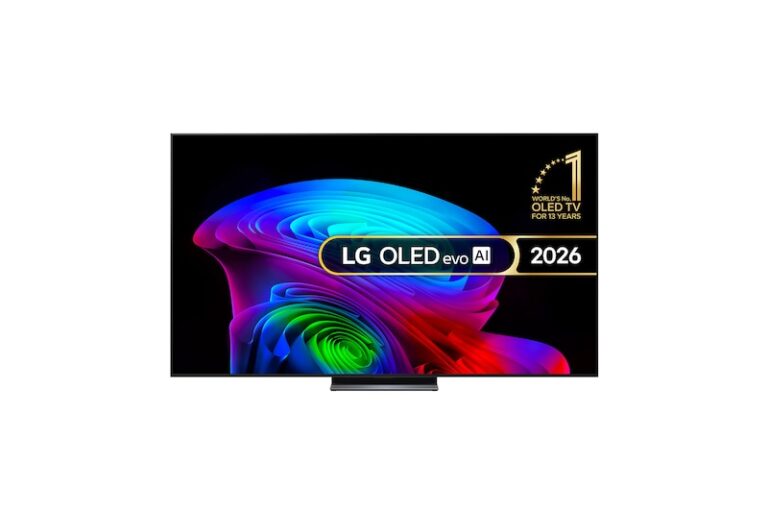
LG · 2026 · UK TV range
LG C6 (2026)
Availability: 55-inch Current
- Resolution
- 4K Ultra HD (3,840 x 2,160)
- Screen
- OLED
- Refresh rate
- 120Hz Native (VRR 165Hz)
- Smart platform
- webOS 26
1 matching UK model option. Features may differ by size.

LG · 2026 · UK TV range
LG G6 (2026)
Availability: 55-inch Current · 55-inch Current
- Resolution
- 4K Ultra HD (3,840 x 2,160)
- Screen
- OLED
- Refresh rate
- 120Hz Native (VRR 165Hz)
- Smart platform
- webOS 26
2 matching UK model options. Features may differ by size.

Samsung · UK TV range
Samsung S99H
Availability: 55-inch Current
- Resolution
- 3840 x 2160
- Screen
- OLED
- Refresh rate
- 165 Hz
- Smart platform
- Tizen
1 matching UK model option. Features may differ by size.
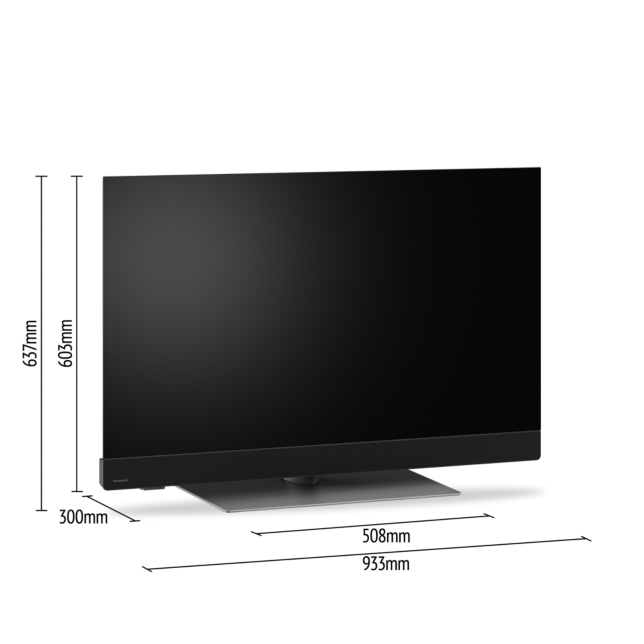
Panasonic · UK TV range
Panasonic Z90B
Availability: 55-inch Current
- Resolution
- 4K Ultra HD/3,840 x 2,160
- Screen
- 4K OLED/Master OLED Pro
- Refresh rate
- Up to 144Hz
- Smart platform
- Fire TV
1 matching UK model option. Features may differ by size.

Philips · UK TV range
Philips OLED760
Availability: 55-inch Current
- Resolution
- 3840 x 2160 pixels
- Screen
- OLED
- Refresh rate
- 120 Hz
- Smart platform
- Titan OS
1 matching UK model option. Features may differ by size.
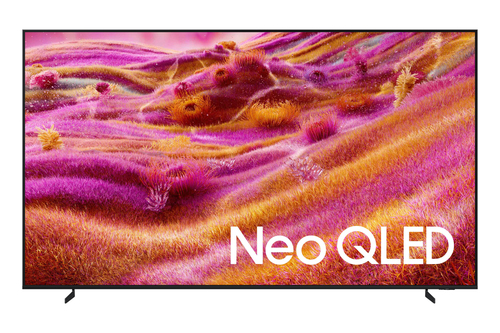
Samsung · UK TV range
Samsung QN90F
Availability: 55-inch Current
- Resolution
- 4K (3,840 x 2,160)
- Screen
- Neo QLED
- Refresh rate
- 120 Hz
- Smart platform
- Tizen
1 matching UK model option. Features may differ by size.
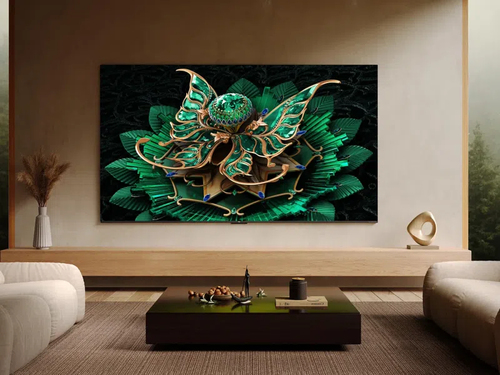
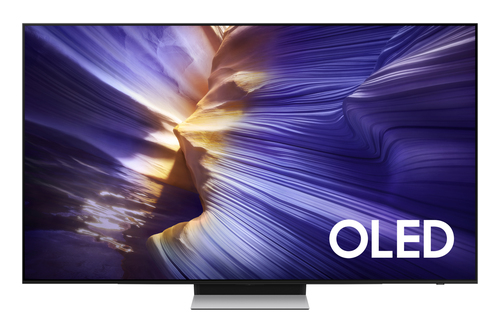
Samsung · UK TV range
Samsung S90F
Availability: 55-inch Current
- Resolution
- 4K (3,840 x 2,160)
- Screen
- OLED
- Refresh rate
- 100 Hz
- Smart platform
- Tizen
1 matching UK model option. Features may differ by size.
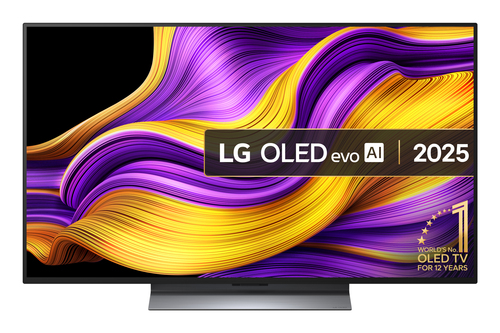
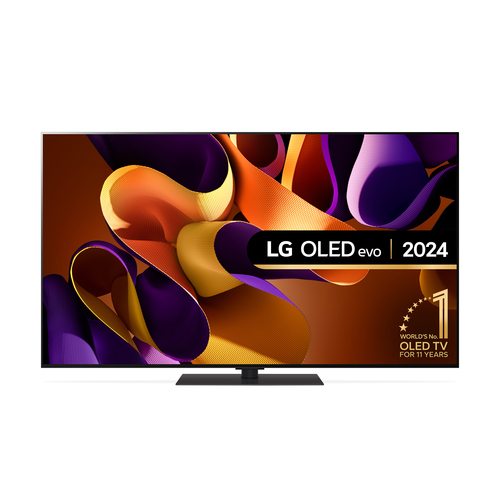
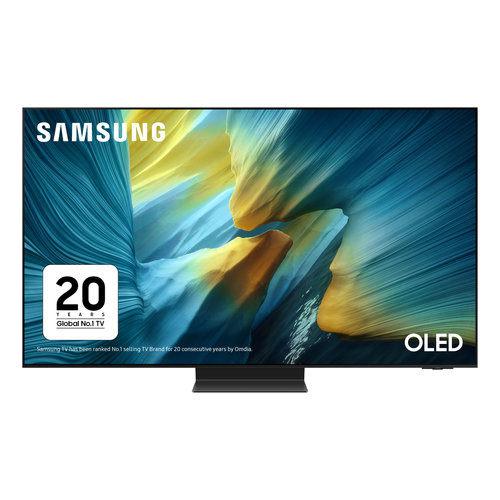
Samsung · UK TV range
Samsung S95F
Availability: 55-inch Current
- Resolution
- 4K (3,840 x 2,160)
- Screen
- OLED
- Refresh rate
- 100 Hz
- Smart platform
- Tizen
1 matching UK model option. Features may differ by size.
COR Scores summarise expert reviews for the range. Select a product to check the reviewed size, full UK model specifications and available retailer prices.
Your TV reading library
TV buying guides
Understand the features and specifications you see in TV reviews. Read the complete buying guide or explore a topic in depth.
Read the complete TV buying guide Back to the TV results ↑OLED vs Mini LED explained
Understand the differences in contrast, brightness and everyday viewing.
Read the guideScreen size & viewing distance
Balance viewing distance, furniture and the space around the screen.
Read the guideGaming features & HDMI
Make sense of refresh rates, VRR and the HDMI inputs you will use.
Read the guideBrightness & reflections
Consider reflections, daylight and where everyone will sit.
Read the guideYour six-step checklist
How to choose your next TV
Find the best TV for your room, your budget and your favourite viewing.
Work through these six steps, then use your answers to turn expert TV reviews into a shortlist that works for you.
Set your budget
Decide what you want to spend in total. Allow for delivery and any stand, wall bracket or audio equipment you plan to buy.
Your decision A spending limit that includes your essential extras.
Choose a size that fits
Measure your available space and usual seating distance. Use the screen-dimensions table below to compare a couple of sizes in your room.
Your decision Your preferred screen size and available width.
Pick your viewing priorities
Think about what you watch most and when you watch it. Choose the picture strengths that matter most, such as daytime visibility, film detail or smooth gaming.
Your decision Your two or three most important viewing priorities.
List your must-have features
Write down the apps, consoles, players and sound equipment you use. Include the connections and accessibility features that make everyday viewing work for you.
Your decision A clear list of essential apps, inputs and features.
Compare a few strong candidates
Use your answers to narrow the TV results. Compare COR Scores and original critic verdicts, checking the review dates and tested versions as you build your shortlist.
Your decision Two or three TVs supported by relevant review evidence.
Confirm the complete offer
Match the full UK model code and size at the retailer. Check the condition, delivered price, included accessories and warranty terms before choosing your offer.
Your decision Your chosen model and its full purchase cost.
Ready to put your shortlist together? Use your priorities to filter the TVs, then compare the exact models.
Start with the space
Find the right TV for your room
Measure first, then consider the light and every seat. Bring together screen size, seating distance and everyday viewing comfort.
Make the size real before you buy
- Measure from your eyes to the screen. Include side seats and the height of the usual viewing position.
- Mark out the screen outline. Use the table to compare sizes on the wall or furniture. Try your normal seat and the captions you need to read.
- Check the whole television. Add the cabinet, stand, ventilation and space for plugs. For a wall mount, verify the TV, bracket and wall requirements together.
| Diagonal | Width | Height |
|---|---|---|
| 43 inches | 95 cm | 54 cm |
| 50 inches | 111 cm | 62 cm |
| 55 inches | 122 cm | 68 cm |
| 65 inches | 144 cm | 81 cm |
| 75 inches | 166 cm | 93 cm |
| 85 inches | 188 cm | 106 cm |
Calculated for a 16:9 screen and rounded to the nearest centimetre. These are screen dimensions only, not the cabinet or stand. Check the manufacturer’s exact measurements before ordering.
Find the viewing distance that feels right for you. Your eyesight, preferred immersion, subtitles and source quality all matter. Compare a couple of screen outlines from your favourite seat.
Windows and daytime viewing
Check where windows and lamps reflect at your usual viewing time. Look for measured reflection handling and sustained brightness; an especially bright highlight is not the same as an easily visible daytime picture.
Practical check Try the seating position with the curtains as you normally use them.
Wide seating and evening films
Read about off-centre viewing if people sit across the room. For dark-room films, look at shadow detail and how bright subtitles affect nearby dark areas. Judge the exact model rather than choosing from its display badge alone.
Practical check Look for review photographs or measurements that match these conditions.
Furniture, mounting and delivery
Measure the stand depth and feet positions, allow room for a soundbar, and keep ventilation clear. Check the delivery route and packaged dimensions. A matching VESA pattern is only one part of a suitable wall-mount installation.
Practical check Record the available width, depth and weight limit before comparing TVs.
Independent reviews, made comparable
What does the COR Score mean?
One consistent scale makes different publishers’ ratings easier to compare. The original review still tells you why a critic reached that verdict.
Read our scoring methodology →Scale conversion · example
An illustration of conversion, not a rating for a listed TV.
- 01
Check the match
Identify the TV range and the version reviewed. Check the reviewed version alongside the specifications for your chosen size.
- 02
Compare on one scale
Convert usable ratings to five points, count each publisher once and give each critic equal weight.
- 03
Require three critics
Show the average to two decimal places after three distinct critics. Otherwise display tbd, keeping individual reviews visible.
Find the best fit by considering the score alongside the critic count, review dates, tested size and the strengths that matter to you.
Explore our TV reviews
A growing choice of TVs to discover
Explore new releases and established favourites with verified UK model details. Compare the available critic reviews, discover different screen sizes and follow retailer links to check current offers.
Browse the earlier TV review archive →- Verified TV ranges
- 245
- UK model options
- 882
- Ranges with scored reviews
- 98
Explore the catalogue
Browse TV brands and display types
Explore the available ranges by maker or recorded display technology.
Your questions, answered
TV buying FAQ
Ten answers to help you compare the right television.
01What size TV should I buy?
Measure the space, TV width, stand footprint and distance from your usual seat. Screen size is a diagonal measurement, so two TVs with the same quoted size can need different furniture. Use the screen-size guide above and check the exact model dimensions before ordering.
02Is OLED or Mini LED better for my room?
OLED and Mini LED have different strengths, and performance varies between models. Compare the reviews for your mix of dark-room viewing, daylight, reflections and seating angles. Neither technology is automatically the best choice for every room.
03Are QLED and Mini LED the same thing?
No. QLED refers to a quantum-dot colour layer used with an LCD panel. Mini LED refers to the type of backlight. One television can use both; the labels alone do not establish contrast, viewing angles or motion quality.
04What should I check for a gaming TV?
Check supported resolution and refresh rate on the inputs you will use, VRR, ALLM and the number of suitable HDMI ports. Confirm these for the exact screen size and source device. Read measured response and input-lag findings in the original reviews where available.
05Does Dolby Vision or HDR10+ guarantee a better picture?
No. These labels describe supported HDR formats. Picture quality also depends on the display, processing, content and viewing conditions. Compare the reviewer’s actual HDR findings rather than using format support as a quality score.
06How is the COR Score calculated, and why do some TVs show tbd?
Usable critic ratings are converted to a five-point scale and averaged with equal weight. Each publisher counts once. A public COR Score requires at least three distinct critics; below that, tbd means there is not enough scored review coverage. Available individual reviews remain visible.
07Does a TV range score apply to every screen size?
The catalogue groups verified UK models into ranges. The score summarises the included range reviews; it does not mean every size was tested separately. Open the product page for the reviewed version and the specifications of the size you intend to buy.
08How do the TV filters work?
Choices within one filter are alternatives. Different filters must match the same verified model: a 55-inch, OLED, Dolby Vision selection needs a recorded model with all three properties. Missing information is not treated as feature support. Counts refer to ranges, not the number of screen sizes.
09Which TV brands and models can I compare?
Explore a growing selection of TV brands and ranges with verified UK model details. Use the brand filters to see the ranges currently included. You can also explore earlier reviews in the TV archive. Check the selected product page and retailer for specifications and current offers.
10How should I compare TV prices and retailer offers?
Open the product page and compare offers for the same UK model code, screen size, condition and supplied accessories. Include delivery and any installation costs, and confirm stock and the final total at the retailer. A catalogue entry does not guarantee a current offer or availability.
Specifications, translated
TV glossary: understand the terms before you compare
46 explanations, each with a practical buying check. Browse by topic or search a term.
Screen and picture technology10 terms
- LCD / LED TV
An LCD panel controls light from a separate backlight. In an LED TV, that backlight uses LEDs; the screen pixels do not produce their own light.
Buying check Check contrast, motion and viewing-angle findings for the model. “LED” alone says little about picture quality.
- OLED
A display with organic light-emitting pixels that can be controlled individually, including switching off for black.
Buying check Compare brightness, reflection handling and the manufacturer’s panel-care guidance for your viewing habits.
- QLED
A consumer TV label normally used for an LCD television with quantum dots to help produce colour. It is not the same display structure as OLED.
Buying check Check the backlight and measured performance; a QLED can also be a Mini LED TV.
- Mini LED
An LCD backlight using many small LEDs. Implementations vary in their dimming zones and how those zones are controlled.
Buying check More LEDs or zones do not automatically mean better local dimming. Read about bright objects on dark backgrounds.
- QD-OLED
An OLED display that uses quantum dots for colour conversion. It is distinct from a quantum-dot LCD or QLED television.
Buying check Confirm the panel used in the exact size and generation, then compare the review findings.
- Local dimming
An LCD TV adjusts separate backlight areas to make some parts of a scene brighter or darker.
Buying check Look for how the system handles subtitles, small highlights and shadow detail, not only its zone count.
- Blooming / halos
Light can spread visibly around a bright object against a dark background on a backlit display.
Buying check Look at demanding scenes and off-centre viewing in reviews. Aggressive dimming can hide detail while reducing halos.
- Contrast and black level
Contrast describes the difference between light and dark; black level describes how dark the screen can appear. Results depend on measurement conditions and room light.
Buying check Use like-for-like tests. A large advertised contrast ratio is not a complete account of performance.
- Brightness / nits
A nit is one candela per square metre, a unit of screen luminance. A short, small highlight and a full bright screen can produce very different readings.
Buying check Check sustained and real-scene brightness, picture mode and reflections as well as peak nits.
- Viewing angle
How the picture changes when viewed from the side or above and below the screen. Colour, contrast and brightness may change differently.
Buying check Read findings for the seats you will use. The widest quoted angle does not guarantee a consistent picture.
Resolution, colour and HDR9 terms
- Screen size and aspect ratio
TV size normally refers to the screen diagonal in inches. Aspect ratio describes its width relative to height; most modern TVs use 16:9.
Buying check Use the cabinet dimensions and stand footprint to check fit. Diagonal size is not the TV’s width.
- Full HD / 1080p
A display resolution of 1,920 × 1,080 pixels. Resolution is one part of image detail, alongside the source and processing.
Buying check Consider screen size and viewing distance rather than assuming the resolution alone determines sharpness.
- 4K Ultra HD
For consumer TVs, Ultra HD normally means 3,840 × 2,160 pixels. A 4K screen can also display lower-resolution sources.
Buying check Check the quality of the content and the TV’s processing. A 4K panel does not make every programme native 4K.
- 8K Ultra HD
A consumer display resolution of 7,680 × 4,320 pixels, with four times the pixel count of 4K UHD.
Buying check Consider available content, viewing distance, price and upscaling. More pixels do not guarantee a better overall picture.
- Upscaling
Processing that maps a lower-resolution source to a higher-resolution screen, estimating how additional pixels should appear.
Buying check Read how broadcasts and compressed streams look. Processing cannot recover every detail absent from the original source.
- HDR / SDR
High dynamic range video can carry a wider range of light and colour information than standard dynamic range. Display capability determines how it is reproduced.
Buying check HDR compatibility is not a brightness or contrast score. Compare the critic’s actual HDR assessment.
- HDR10, HLG, HDR10+ and Dolby Vision
Different HDR signal formats. HDR10 uses static metadata; HDR10+ and Dolby Vision can use dynamic metadata. HLG is another HDR approach used for broadcasting.
Buying check Check compatibility across the content, app or player, connection and TV. A format badge does not guarantee superior picture quality.
- Tone mapping
Processing that fits a source’s brightness and colour information into what the display can reproduce.
Buying check Look for preserved bright detail and believable darker areas. The same HDR film can look different on two compatible TVs.
- Colour gamut and colour accuracy
Gamut is the range of colours a display can reproduce; accuracy is how faithfully it reproduces the intended colours. These are different measurements.
Buying check Check results in an appropriate picture mode. A wide gamut or vivid shop setting is not proof of accuracy.
Motion and gaming7 terms
- Refresh rate / Hz
How many times per second a panel updates at a supported operating mode. Native panel refresh is different from a branded motion-processing number.
Buying check Confirm supported resolution and refresh rate for the exact size and HDMI input.
- Frame rate / fps
How many image frames a programme or game supplies each second. This belongs to the source, while refresh rate describes the display.
Buying check A higher-Hz TV does not make a game generate more frames. Check the console or PC output as well.
- VRR
Variable refresh rate lets a compatible display adjust its timing to a source’s changing frame output, helping reduce tearing and stutter.
Buying check Check the supported VRR system, operating range and resolution on the input you will use.
- ALLM
Auto low latency mode lets a compatible source request the TV’s low-latency setting automatically.
Buying check The feature does not state the actual input lag. Read measured game-mode results.
- Input lag
The delay between a video signal reaching the TV and the corresponding image being displayed. It can change with mode and signal format.
Buying check Compare measurements taken at the resolution, refresh rate and picture mode you intend to use.
- Pixel response time
How quickly a pixel changes between levels or colours. Slow transitions can contribute to visible trails.
Buying check Do not confuse it with input lag. Test methods and transitions vary, so compare equivalent measurements.
- Motion interpolation and judder
Interpolation creates intermediate frames to change motion appearance. Judder describes uneven motion cadence, which may have several causes.
Buying check Try the settings with films and sport. Smoother motion can change a film’s appearance or introduce artefacts.
Connections and sound8 terms
- HDMI and version labels
A digital connection carrying video and audio. The feature set can differ between the ports on one TV.
Buying check Check resolution, Hz, VRR and audio-return support per port. A version label by itself is not a complete compatibility checklist.
- ARC
Audio Return Channel sends sound from a TV back to a compatible soundbar or receiver over a designated HDMI connection.
Buying check Use the labelled ports and check supported audio formats on both devices.
- eARC
Enhanced Audio Return Channel extends the audio capabilities of ARC, including support for higher-bitrate formats.
Buying check The TV, audio device, content, source and settings must support the intended path. eARC alone does not guarantee every format will play.
- HDMI-CEC
Control signalling that can let connected equipment coordinate functions such as power, input switching and volume. Manufacturers may use different names for it.
Buying check Check daily remote behaviour and settings on both devices; compatible HDMI sockets do not guarantee identical control behaviour.
- Optical / S/PDIF
A digital audio connection using light through an optical cable. Its format capabilities differ from HDMI ARC and eARC.
Buying check Check the soundbar and TV format support and how volume will be controlled.
- Dolby Atmos
An audio format and playback approach that can position sound around and above the listener. TVs may decode it, pass it onward or use virtual processing.
Buying check An Atmos badge does not establish the number or position of speakers, or guarantee convincing height effects.
- Audio / video pass-through
One device forwards a signal to another. The formats and video features it can pass may differ from those it can play or process itself.
Buying check Check the whole route when a console connects through a soundbar or audio returns through the TV.
- HDCP
A content-protection system used by compatible digital video equipment. Protected content may require a supported version throughout the connection.
Buying check Check the TV, source, receiver and any intermediate equipment if protected video fails to display.
Smart TV, streaming and reception6 terms
- Smart TV platform
The TV’s operating system and connected services, including apps and account features. Availability can vary by country, model and software support.
Buying check Confirm your essential UK apps, accessibility settings and the manufacturer’s support information.
- Freeview / Freeview Play
Freeview receives UK terrestrial television through an aerial. Freeview Play adds connected catch-up and on-demand features on compatible equipment.
Buying check Check aerial coverage, internet requirements and the services supported by the exact model.
- Freely
A UK service delivering live and on-demand television over broadband through compatible TVs or supported streaming equipment.
Buying check Check current device compatibility and service requirements. A generic smart-TV label does not establish Freely support.
- Digital tuner: DVB-T/T2, DVB-S/S2, DVB-C
A tuner receives a broadcast signal: T/T2 is terrestrial, S/S2 satellite, and C cable. The standard is distinct from a streaming app or service certification.
Buying check Match the signal source, local service and receiver requirements. A socket or tuner label alone does not guarantee every channel.
- Wi-Fi and Ethernet
Two ways of connecting the TV to a home network: wireless and wired. The TV’s supported standard and the home network both affect the connection.
Buying check Check signal quality where the TV will sit. A wired connection may be useful, but neither label guarantees a particular streaming result.
- Casting and screen mirroring
Ways of sending or sharing content from another device. Casting may hand playback to a TV app; mirroring reproduces the other device’s screen.
Buying check Confirm the supported system, apps, phone or computer and network requirements.
Installation and running costs6 terms
- VESA mount pattern
The standardised mounting-hole arrangement on the back of a display, usually expressed as horizontal × vertical spacing in millimetres.
Buying check Also check TV weight, screws, spacers, bracket limits, wall suitability and the manufacturer’s installation instructions.
- Stand footprint and cabinet dimensions
The footprint is the space occupied by the TV’s stand or feet. Cabinet dimensions describe the full television, not just the visible screen.
Buying check Compare furniture width, depth and load capacity; allow for the soundbar, cables and ventilation.
- Energy class and kWh/1,000 h
The energy label gives an efficiency class and standardised consumption figures. SDR and HDR consumption can be reported separately.
Buying check Compare consumption figures as well as the letter. The label is not a picture-quality rating or a prediction of your annual bill.
- Estimated running cost
An estimate based on energy use, viewing hours and your electricity unit price. Picture settings, content and standby behaviour affect actual use.
Buying check For a label value E kWh/1,000 h, estimated cost is E × viewing hours ÷ 1,000 × price per kWh. Keep SDR and HDR assumptions clear.
- UK model code and variant
The complete identifier for a TV, including its screen size and relevant suffix. Similar range names can cover different sizes, years or regional editions.
Buying check Match the full code when comparing reviews, specifications and offers. Check the version actually tested.
- COR Score / tbd
COR converts usable critic ratings to five points and averages them with equal weight, counting each publisher once. A public score requires at least three critics.
Buying check tbd means the threshold is not met, not a zero rating. Check critic count, review dates and the reviewed version.
No matching term. Try a shorter word, an abbreviation or clear the search to browse all topics.
Technical references: HDMI features · Dolby HDR guidance · Freeview equipment · Freely compatibility · Display energy labels. Check the exact UK model’s documentation for supported features.