
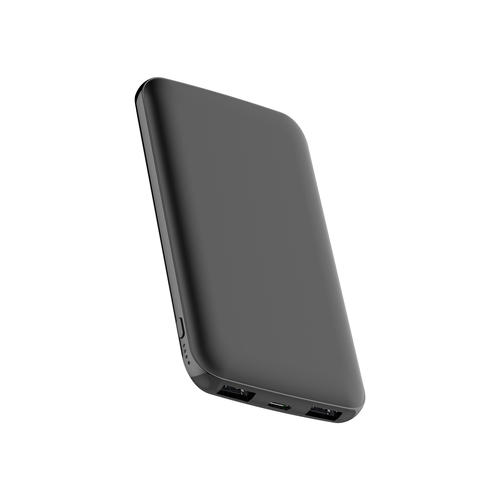
CoolBox
COO-PB10KS-BK
- Battery capacity
- 10000 mAh
- Fast charging
- Not confirmed
- USB Type-C connector
- Not confirmed
- Total output power
- Not confirmed
CoolBox COO-PB10KS-BK power bank Lithium Polymer (LiPo) 10000 mAh Grey
Model code: COO-PB10KS-BK
Compare power banks with independent expert reviews, COR Scores and exact-model specifications. Find the best fit for your needs, explore the buying advice below and check available UK retailer offers.
Choosing the best power banks starts with how you will use them. Consider phone emergency top-ups, travel with several devices, laptop use, then match the features and practical requirements to your shortlist.
Our UK power bank reviews comparison brings together published critics’ assessments and recorded product specifications. A COR Score converts eligible ratings to five points and gives each publisher equal weight. Read the original reviews for the reasoning, tested configuration and review date; an average becomes available after three distinct critics.
Use the available category filters to explore recorded features. Open each product to check its full manufacturer code, configuration and current review coverage. Compare retailer offers for that exact version, including condition, accessories and delivery.
Below the results, explore the buying guides, work through how to choose, or use the glossary to make sense of unfamiliar specifications.
631 product listingsShowing 85–96
CoolBox
CoolBox COO-PB10KS-BK power bank Lithium Polymer (LiPo) 10000 mAh Grey
Model code: COO-PB10KS-BK
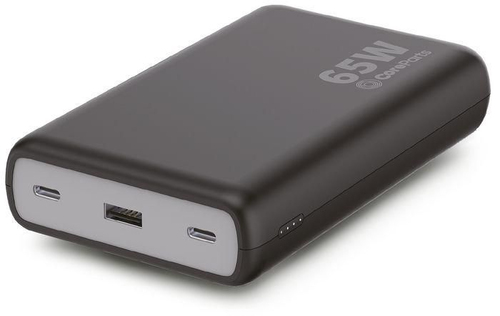
CoreParts
CoreParts 451-BBMV-CP power bank
Model code: 451-BBMV-CP
CoreParts
CoreParts MBE51973 power bank Lithium-Ion (Li-Ion) Black
Model code: MBE51973
CoreParts
CoreParts MBEP1 power bank Black
Model code: MBEP1
CoreParts
CoreParts MBEP2 power bank White
Model code: MBEP2
CoreParts
CoreParts MBEP3 power bank Pink
Model code: MBEP3
CoreParts
CoreParts MBEP4 power bank Red
Model code: MBEP4
CoreParts
CoreParts MBEP5 power bank Yellow
Model code: MBEP5
CoreParts
CoreParts MBEP6 power bank Green
Model code: MBEP6
CoreParts
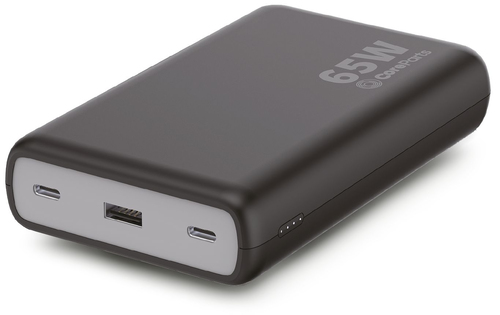
CoreParts MBX-PB006 power bank Black
Model code: MBX-PB006
CoreParts
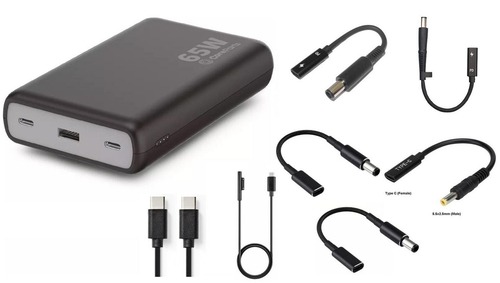
CoreParts MBX-PB007 power bank Black
Model code: MBX-PB007
CoreParts
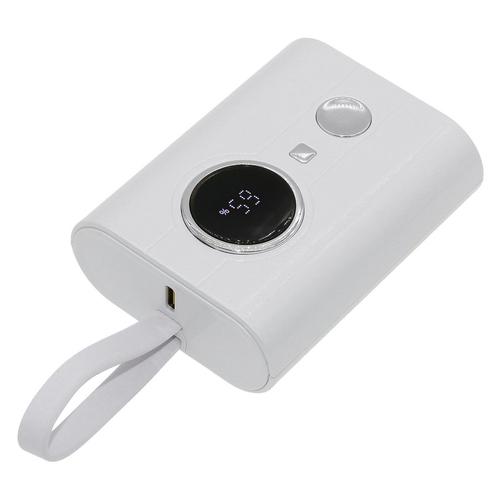
CoreParts MBX-PB008 power bank
Model code: MBX-PB008
Select a product to check its exact model, reviewed version and available retailer offers. Matching model options are grouped together where supported; the displayed score belongs to the shown option. Individual critic reviews remain visible while a product builds towards three critics for a COR Score.
Your reading library
Understand the features and specifications you see in power bank reviews. Read the complete guide or explore a focused topic.
Read the complete buying guide →Back to the results ↑Power-bank capacity is usually stated for its internal cells, not as energy delivered at a phone’s charging voltage. Conversion and cable losses mean the useful output is lower, so capacity is best used…
Explore the guide →Match the bank, cable and device around a shared USB Power Delivery profile rather than the USB-C connector shape.
Explore the guide →Plan simultaneous charging around port direction, shared output and cables rated for the required power.
Explore the guide →Identify watt-hours, protect the battery and check the current carrier rules before every flight.
Explore the guide →Your six-step checklist
Find the best fit for your priorities, your setup and your budget.
Turn expert power bank reviews into a shortlist with these six practical checks.
Compare watt-hours, not only marketed mAh.
Your decision Compared stored energy.
List simultaneous devices and their required charging power.
Your decision Listed charging demand.
Verify USB-C PD support on bank, cable and device.
Your decision Verified charging chain.
Check recharge time and whether a suitable wall charger is included.
Your decision Checked recharge setup.
Read the airline policy before flying with a power bank.
Your decision Confirmed travel rules.
Inspect the manufacturer safety, warranty and recycling instructions.
Your decision Recorded care guidance.
Ready to build your shortlist? Use these checks to narrow the results, then read the evidence for each exact model.
Make it work for you
Turn your everyday needs into a practical setup. Record these details before comparing your final shortlist.
| Requirement | What to record or check |
|---|---|
| Stored energy | Watt-hours, marketed capacity and devices needing charge |
| Shared output | Simultaneous devices, power, ports and conversion considerations |
| Charging chain | USB-C PD support, cable, device, recharge time and wall charger |
| Care and travel | Airline policy, instructions, warranty, storage and recycling |
Use the exact model’s manual and manufacturer specifications to confirm measurements, connections and supported features.
Keep your priorities together. A short set of notes makes it easier to compare complete offers and discuss your requirements with a retailer or installer.
Independent testing can assess delivered energy, sustained output, thermal behaviour and charging protocol negotiation. Those observations are more useful than a box claim that omits voltage, device condition or cable.
Practical check Count on Reviews does not test products itself. Match tests and manuals to the exact capacity and revision, since a family name can include ports or cells with different capabilities.
Explore this in the buying guide →Compare watt-hours as well as mAh because voltage differs between cells and devices. Conversion losses mean no power bank delivers its labelled energy unchanged to a phone; use independent measured capacity where available.
Practical check When two devices charge, check total output and whether a high-power USB-C port is reduced. A bank may have the right maximum for a laptop only when it is the sole connected device.
Explore this in the buying guide →Airlines set their own limits and handling rules for spare lithium batteries, so check the carrier for the route immediately before packing. Watt-hours and the way the battery is carried matter more than a generic travel post.
Practical check Keep the capacity marking visible and do not fly with a damaged or swollen pack. A large bank can be legitimate carry-on equipment while still being unsuitable for a particular airline.
Explore this in the buying guide →Compare with a purpose
Choose your main priority, then compare the evidence that matters most for your setup.
| Your main use | What to look for | What to weigh up |
|---|---|---|
| Phone emergency top-ups | Compact size, reliable cable and suitable output | Smaller capacity means fewer full charges. |
| Travel with several devices | Multiple ports, total output and airline rules | A larger pack weighs more and takes longer to recharge. |
| Laptop use | USB-C Power Delivery output, cable rating and laptop compatibility | A USB-C socket does not guarantee enough power for every laptop. |
Include the product, delivery, required accessories and any setup or installation. Check relevant consumables, subscriptions and replacement parts over the period you expect to own it.
Use your planning notes to identify essential functions and connections. Confirm them for the exact model and configuration, then weigh optional features against the difference in price.
Read the original critics’ findings for your priorities. Check the date and tested version, then compare the evidence alongside the COR Score and number of distinct critics.
Check the manufacturer code, generation, configuration, condition and included items. Confirm stock, delivered price, returns and warranty terms with the retailer before ordering.
Open the specifications glossary · Compare expert reviews · Check the model and offer
Independent reviews, made comparable
One consistent scale makes different publishers’ ratings easier to compare. The original review explains why a critic reached that verdict.
Read our scoring methodology →Scale conversion · example
An illustration of conversion, not a rating for a listed product.
Identify the exact product and the version reviewed. Check model codes, configuration and the included package.
Convert eligible ratings to five points, count each publisher once and give every critic equal weight.
Show the average to two decimal places after three distinct critics. Otherwise show tbd while keeping individual reviews visible.
Read the score alongside the critic count, review dates, tested version and strengths that matter to you. Linked reviews of related hardware remain separate from the selected product’s score.
Explore the catalogue
Compare the recorded models, explore different configurations and follow the available expert reviews. Use each product page for its latest evidence and retailer links.
Return to the results ↑Explore your options
Follow a manufacturer or a selection based on recorded product features.
Your questions, answered
Ten answers to help you make an informed choice.
It varies with phone battery size, voltage conversion, cable and use. Treat advertised figures as estimates and compare watt-hours.
Only if the power bank, cable and laptop support a compatible USB-C power level. Check all three.
Check the airline rules before travel. Spare lithium-battery rules can differ by carrier and route.
Start with your main use, practical setup and total budget. The comparison table above identifies useful features for different priorities. Use the category filters, then check exact-model specifications and the original reviews for your shortlist.
It summarises eligible independent critic ratings on a five-point scale, with one equally weighted rating per publisher. The displayed average has two decimal places. Open the original reviews to see how the findings relate to your priorities.
A public COR Score becomes available after three distinct critics. Until then, tbd indicates that review coverage is still building; available individual reviews remain visible. It is different from a zero rating.
Check the version actually reviewed. Confirmed equivalent colour, storage or accessory variants can share model-level reviews with a tested-version label. Related hardware, different generations and other distinct editions are shown separately and do not contribute to the selected product’s score.
Filters use the recorded specifications for each model or option. Choose a brand or feature, then apply your filters to narrow the results. Missing information is not treated as confirmed feature support. Open the product page to check the full specification.
Match the complete manufacturer code, configuration, condition and included items. Add delivery and necessary accessories to compare the total cost, and confirm stock, warranty and returns details with the retailer.
Check the review date, tested version and current manufacturer support. Compare the features you need, replacement parts or consumables where relevant, and the complete offer. A useful older review can still explain a model well, while availability and services may have changed.
Related categories
Compare complementary products and other ways to meet your needs.
Specifications, explained
Understand the terms, then use the buying checks to compare exact models.
12 terms
A measure of electrical charge capacity, normally stated at a specified battery voltage.
Buying check Do not directly compare figures at different voltages or assume all stored energy reaches the device.
A measure of stored or consumed energy that accounts for voltage.
Buying check Use the manufacturer’s rated energy figure and any applicable transport rules.
An estimate of battery use over repeated charge-and-discharge cycles under stated conditions.
Buying check Compare the maker’s conditions, service options and warranty terms.
The time needed to replenish a battery under specified charging conditions.
Buying check Check the required charger and cable, rather than assuming the fastest input is included.
A reversible connector shape used for several different data, display and power capabilities.
Buying check Read the port specification; the connector shape alone does not confirm supported functions.
A charging protocol that lets compatible equipment negotiate supported power settings.
Buying check Check source, device and cable compatibility at the required power level.
The power a charger or power bank can supply under specified conditions.
Buying check Check supported output modes and how power is shared across ports.
Charging a connected device while the power bank itself is connected to a charger, where the model explicitly supports this operation.
Buying check Confirm support, power limits and the manufacturer’s instructions for the exact model before using this arrangement.
Energy used or lost when a power bank converts its battery output to the voltage required by a connected device.
Buying check Compare documented usable output or independent charging tests; do not treat cell capacity as energy delivered without losses.
The charging power a power bank can accept through a specified input and charging mode.
Buying check Match the charger and cable to the supported input modes; the output rating may be different.
The total charging power available when several output ports are used together.
Buying check Read the simultaneous-port rating table for your intended combination of devices.
How much charge a stored battery retains over time. Storage conditions and the particular product affect the result.
Buying check Follow the manufacturer’s storage and periodic charging instructions rather than assuming a universal idle period.
No matching term. Try an abbreviation or clear the search to browse all topics.
Technical sources and further reading · Check the exact model’s manufacturer documentation for supported features.