The Best Tablets

Tablet reviews UK: compare the best tablets

Compare tablets with independent expert reviews, COR Scores and exact-model specifications. Find the best fit for your needs, explore the buying advice below and check available UK retailer offers.

Show moreShow less

Choosing the best tablets starts with how you will use them. Consider reading and streaming, notes and drawing, travel work, then match the features and practical requirements to your shortlist.

Our UK tablet reviews comparison brings together published critics’ assessments and recorded product specifications. A COR Score converts eligible ratings to five points and gives each publisher equal weight. Read the original reviews for the reasoning, tested configuration and review date; an average becomes available after three distinct critics.

Use the available category filters to explore recorded features. Open each product to check its full manufacturer code, configuration and current review coverage. Compare retailer offers for that exact version, including condition, accessories and delivery.

Below the results, explore the buying guides, work through how to choose, or use the glossary to make sense of unfamiliar specifications.

3221 listed model optionsHow COR Scores workWhat we cover

64 product listingsShowing 49–60

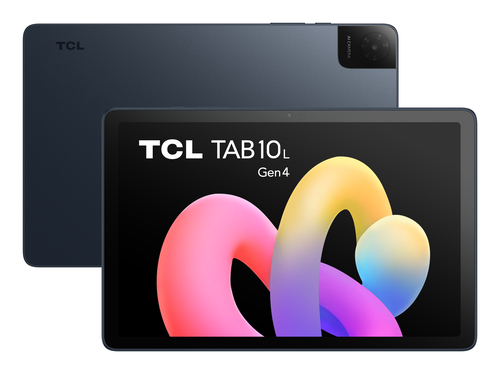
TCL 8483A1-2ALCA111

TCL

TAB 10L Gen 4

Display diagonal
25.6 cm (10.1")
Internal storage capacity
64 GB
Operating system installed
Android 15
Mobile network connection
No

Current

TCL TAB 10L Gen 4 Mediatek 64 GB 25.6 cm (10.1") 4 GB Wi-Fi 5 (802.11ac) Android 15 Anthracite
Model code: 8483A1-2ALCA111

COR ScoretbdAvailable after 3 critic reviews0 critics
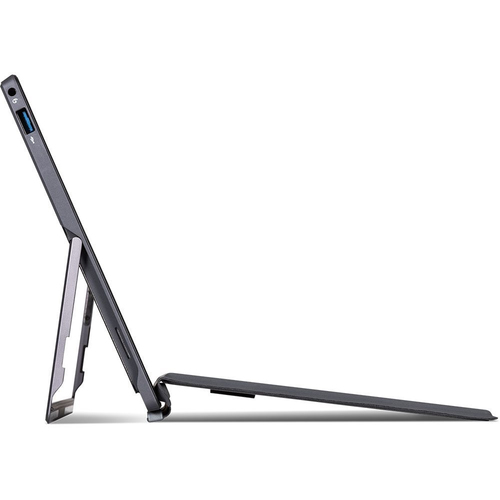
TERRA 1220142

TERRA

1220142

Display diagonal
31.2 cm (12.3")
Internal storage capacity
512 GB
Operating system installed
Windows 11 Pro
Mobile network connection
No

Current

TERRA PAD 1220142 tablet Intel® Core™ i5 512 GB 31.2 cm (12.3") 8 GB Wi-Fi 5 (802.11ac) Windows 11 Pro Black
Model code: 1220142

COR ScoretbdAvailable after 3 critic reviews0 critics
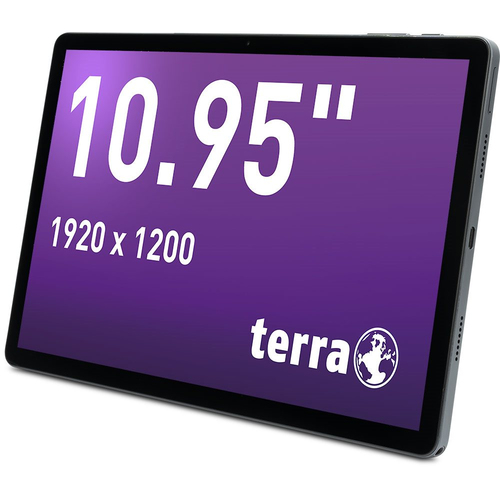
TERRA 1220860

TERRA

PAD 1007

Display diagonal
27.8 cm (10.9")
Internal storage capacity
256 GB
Operating system installed
Android 14
Mobile network connection
Yes

Current

TERRA PAD 1007 4G Mediatek LTE 256 GB 27.8 cm (10.9") 8 GB Wi-Fi 5 (802.11ac) Android 14 Grey
Model code: 1220860

COR ScoretbdAvailable after 3 critic reviews0 critics
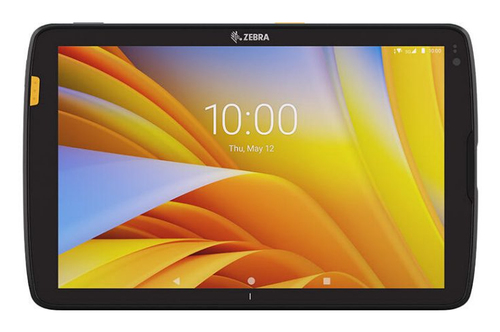
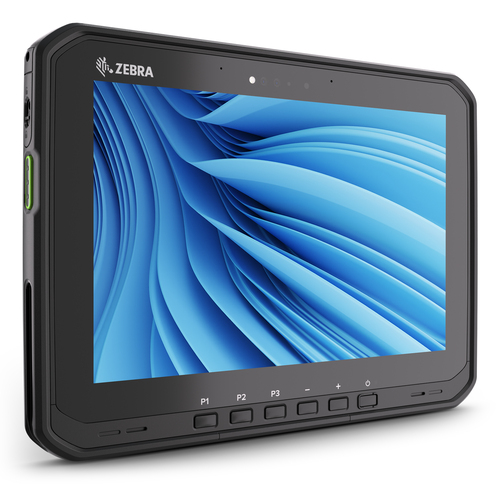
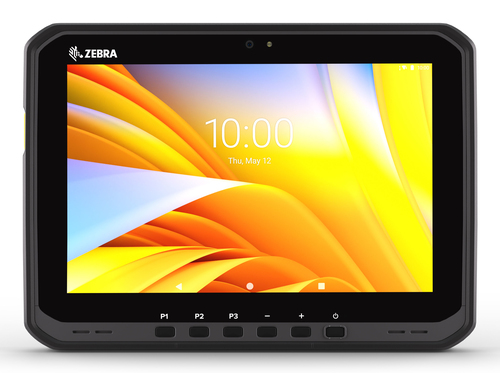
Zebra ET40AB-001C2B0-A6

Zebra

ET40

Display diagonal
25.6 cm (10.1")
Internal storage capacity
128 GB
Operating system installed
Android 11
Mobile network connection
No

Current

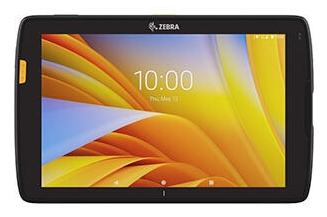
Zebra ET40 Snapdragon 128 GB 25.6 cm (10.1") 8 GB Wi-Fi 6 (802.11ax) Android 11 Black
Model code: ET40AB-001C2B0-A6

COR ScoretbdAvailable after 3 critic reviews0 critics
Zebra ET40AB-0H1C2B0-A6

Zebra

ET40 HC

Display diagonal
25.6 cm (10.1")
Internal storage capacity
64 GB
Operating system installed
Not confirmed
Mobile network connection
Yes

Current

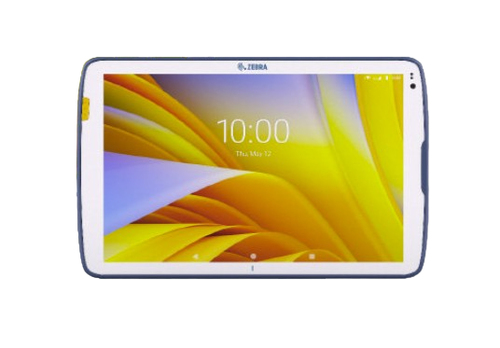
Zebra ET40 HC 5G Snapdragon LTE 64 GB 25.6 cm (10.1") 4 GB Wi-Fi 6E (802.11ax) Blue, White
Model code: ET40AB-0H1C2B0-A6

COR ScoretbdAvailable after 3 critic reviews0 critics
Zebra ET45CB-101D1B0-A6

Zebra

ET45

Display diagonal
25.6 cm (10.1")
Internal storage capacity
64 GB
Operating system installed
Android 11
Mobile network connection
Yes

Current

Zebra ET45 5G Snapdragon 64 GB 25.6 cm (10.1") 4 GB Wi-Fi 6 (802.11ax) Android 11 Black
Model code: ET45CB-101D1B0-A6

COR ScoretbdAvailable after 3 critic reviews0 critics
Zebra ET55GE-G15E-00A6

Zebra

ET55

Display diagonal
25.6 cm (10.1")
Internal storage capacity
32 GB
Operating system installed
Android 6.0.1
Mobile network connection
Yes

Current

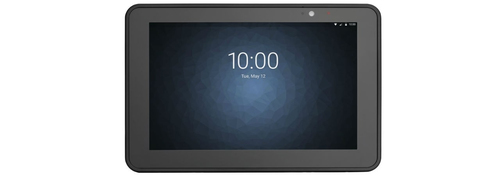
Zebra ET55 4G Intel Atom® LTE 32 GB 25.6 cm (10.1") 2 GB Wi-Fi 4 (802.11n) Android 6.0.1 Black
Model code: ET55GE-G15E-00A6

COR ScoretbdAvailable after 3 critic reviews0 critics
Zebra ET60AW-0SQAGN00A0-A6

Zebra

ET60

Shown option: 128 GB · 8 GB RAM · Wi-Fi · Black. Scores shown apply to this option.

Display diagonal
25.6 cm (10.1")
Internal storage capacity
128 GB
Operating system installed
Not confirmed
Mobile network connection
No

Current

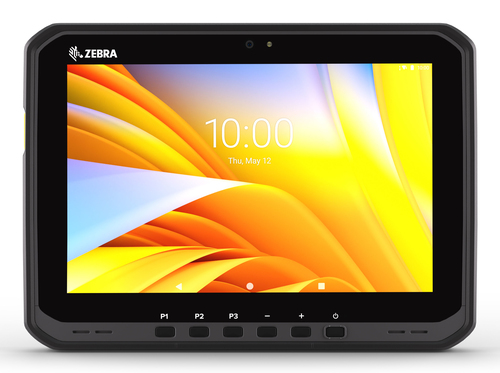
Zebra ET60 128 GB 25.6 cm (10.1") 8 GB Wi-Fi 6E (802.11ax) Black
Model code: ET60AW-0SQAGN00A0-A6

2 model options — compare versions

Specifications, review scores and prices belong to each exact model.

COR ScoretbdAvailable after 3 critic reviews0 critics
Zebra ET60WW-0S5BLS00A0-00

Zebra

ET60W

Shown option: 128 GB · 8 GB RAM · Wi-Fi · Black. Scores shown apply to this option.

Display diagonal
25.6 cm (10.1")
Internal storage capacity
128 GB
Operating system installed
Windows 11
Mobile network connection
No

Current

Zebra ET60W Intel Core Ultra 5 128 GB 25.6 cm (10.1") 8 GB Wi-Fi 7 (802.11be) Windows 11 Black
Model code: ET60WW-0S5BLS00A0-00

7 model options — compare versions

Specifications, review scores and prices belong to each exact model.

COR ScoretbdAvailable after 3 critic reviews0 critics
Zebra ET65AW-ESQAGS00A0-A6

Zebra

ET65

Display diagonal
25.6 cm (10.1")
Internal storage capacity
128 GB
Operating system installed
Not confirmed
Mobile network connection
Yes

Current

Zebra ET65 5G LTE 128 GB 25.6 cm (10.1") 8 GB Wi-Fi 6E (802.11ax) Black
Model code: ET65AW-ESQAGS00A0-A6

COR ScoretbdAvailable after 3 critic reviews0 critics
Zebra ET65WW-ES5BLS00A0-00

Zebra

ET65W

Shown option: 128 GB · 8 GB RAM · 5G · Black. Scores shown apply to this option.

Display diagonal
25.6 cm (10.1")
Internal storage capacity
128 GB
Operating system installed
Windows 11
Mobile network connection
Yes

Current

Zebra ET65W 5G Intel Core Ultra 5 128 GB 25.6 cm (10.1") 8 GB Wi-Fi 7 (802.11be) Windows 11 Black
Model code: ET65WW-ES5BLS00A0-00

2 model options — compare versions

Specifications, review scores and prices belong to each exact model.

COR ScoretbdAvailable after 3 critic reviews0 critics
Zebra ET4010B-00101B0P-A6

Zebra

ET401

Shown option: 64 GB · 6 GB RAM · 5G · Black. Scores shown apply to this option.

Display diagonal
25.4 cm (10")
Internal storage capacity
64 GB
Operating system installed
Not confirmed
Mobile network connection
Yes

Current

Zebra ET401 5G 64 GB 25.4 cm (10") 6 GB Wi-Fi 7 (802.11be) Black
Model code: ET4010B-00101B0P-A6

6 model options — compare versions

Specifications, review scores and prices belong to each exact model.

COR ScoretbdAvailable after 3 critic reviews0 critics

Select a product to check its exact model, reviewed version and available retailer offers. Matching model options are grouped together where supported; the displayed score belongs to the shown option. Individual critic reviews remain visible while a product builds towards three critics for a COR Score.

Your reading library

Tablet buying guides

Understand the features and specifications you see in tablet reviews. Read the complete guide or explore a focused topic.

Read the complete buying guide Back to the results ↑

Your six-step checklist

How to choose the right tablets

Find the best fit for your priorities, your setup and your budget.

Turn expert tablet reviews into a shortlist with these six practical checks.

01

Name required apps and accessories

Name the apps, pen, keyboard and display you need before comparing models.

Your decision Defined tablet workflow.

02

Check accessory generation

Check exact accessory compatibility by generation and regional model.

Your decision Matched accessory generation.

03

Choose practical storage

Choose storage with room for files and updates.

Your decision Chosen practical storage.

04

Confirm cellular requirements

Confirm mobile network requirements for a cellular tablet.

Your decision Confirmed network needs.

05

Read support and service

Read software-support and battery-service information.

Your decision Checked support route.

06

Test size and screen

Test the size and screen finish in the posture you expect to use.

Your decision Tested physical fit.

Ready to build your shortlist? Use these checks to narrow the results, then read the evidence for each exact model.

Make it work for you

Fit the tablet to your routine

Turn your everyday needs into a practical setup. Record these details before comparing your final shortlist.

Picture it in everyday use

  1. List the apps, pen, keyboard, display and file tasks you need.
  2. Try the intended accessories and viewing posture together.
  3. Check storage, connectivity, software support and battery service.
Explore the complete setup guide →
Your tablet planning notes
RequirementWhat to record or check
Required workflowApps, pen, keyboard, external display and file transfer
AccessoriesExact generation, regional model, charging and pen functions
CapacityStorage for apps, files, updates and any expansion route
Long-term useCellular needs, software support, battery service and screen finish

Use the exact model’s manual and manufacturer specifications to confirm measurements, connections and supported features.

Keep your priorities together. A short set of notes makes it easier to compare complete offers and discuss your requirements with a retailer or installer.

Security and sharing

Use strong screen lock, updates and separate household profiles where offered. A shared tablet can expose messages, photos and purchases if accounts are left signed in.

Practical check Do not choose solely for biometric sign-in or a bundled cloud allowance. Those features matter only if they work with your preferred account, recovery approach and privacy settings.

Explore this in the buying guide →

Pen, keyboard and desktop workflow

Check the exact generation supports the chosen pen, its charging method and the drawing or notes app required. Pressure sensitivity and shortcut controls can vary even within one brand.

Practical check If it will be used as a desk machine, test external display behaviour, file transfer, keyboard shortcuts and charging at the same time. A tablet may mirror a screen rather than provide the multi-window workflow you expect.

Explore this in the buying guide →

Mobile data and shared use

For a cellular model, confirm SIM or eSIM support, provider plan and roaming requirements. A Wi-Fi model may be enough when a phone hotspot is reliable, but that changes battery and data use.

Practical check Check profiles, parental controls and account separation before a household shares a tablet. A simple screen lock does not separate photos, purchases or messages between users.

Explore this in the buying guide →

Compare with a purpose

Find the right tablets for the way you use them

Choose your main priority, then compare the evidence that matters most for your setup.

Your main useWhat to look forWhat to weigh up
Reading and streamingScreen comfort, storage, speakers and battery routineA larger display improves viewing but reduces one-handed use.
Notes and drawingPen compatibility, latency, screen surface and softwareA pen may be optional and model-specific.
Travel workKeyboard, file handling, mobile data and external display supportTablet software may not replace every desktop application.
  1. 01

    Compare the complete cost

    Include the product, delivery, required accessories and any setup or installation. Check relevant consumables, subscriptions and replacement parts over the period you expect to own it.

  2. 02

    Prioritise everyday features

    Use your planning notes to identify essential functions and connections. Confirm them for the exact model and configuration, then weigh optional features against the difference in price.

  3. 03

    Read beyond the average

    Read the original critics’ findings for your priorities. Check the date and tested version, then compare the evidence alongside the COR Score and number of distinct critics.

  4. 04

    Match the complete offer

    Check the manufacturer code, generation, configuration, condition and included items. Confirm stock, delivered price, returns and warranty terms with the retailer before ordering.

Independent reviews, made comparable

What does the COR Score mean?

One consistent scale makes different publishers’ ratings easier to compare. The original review explains why a critic reached that verdict.

Read our scoring methodology →

Scale conversion · example

8/ 104.00/ 5

An illustration of conversion, not a rating for a listed product.

  1. 01

    Check the match

    Identify the exact product and the version reviewed. Check model codes, configuration and the included package.

  2. 02

    Compare on one scale

    Convert eligible ratings to five points, count each publisher once and give every critic equal weight.

  3. 03

    Require three critics

    Show the average to two decimal places after three distinct critics. Otherwise show tbd while keeping individual reviews visible.

Read the score alongside the critic count, review dates, tested version and strengths that matter to you. Linked reviews of related hardware remain separate from the selected product’s score.

Explore the catalogue

A growing choice to discover

Compare the recorded models, explore different configurations and follow the available expert reviews. Use each product page for its latest evidence and retailer links.

Return to the results ↑
Listed model options
3221
Options with critic ratings
778
Brands to explore
36

Explore your options

Browse brands and features

Follow a manufacturer or a selection based on recorded product features.

Your questions, answered

Tablet buying FAQ

Ten answers to help you make an informed choice.

01Can a tablet replace a laptop?

For some tasks, yes, but check the actual applications, file management, keyboard and display workflow before relying on it.

02Will any stylus work?

No. Active pens are usually model- and generation-specific. Check the manufacturer compatibility list.

03How much storage is enough?

It depends on offline media, photos and apps. Fixed storage is common, so leave headroom for updates and files.

04How do I choose the best tablets for my needs?

Start with your main use, practical setup and total budget. The comparison table above identifies useful features for different priorities. Use the category filters, then check exact-model specifications and the original reviews for your shortlist.

05What does the COR Score tell me?

It summarises eligible independent critic ratings on a five-point scale, with one equally weighted rating per publisher. The displayed average has two decimal places. Open the original reviews to see how the findings relate to your priorities.

06Why do some products display tbd?

A public COR Score becomes available after three distinct critics. Until then, tbd indicates that review coverage is still building; available individual reviews remain visible. It is different from a zero rating.

07Does a review cover every version or accessory bundle?

Check the version actually reviewed. Confirmed equivalent colour, storage or accessory variants can share model-level reviews with a tested-version label. Related hardware, different generations and other distinct editions are shown separately and do not contribute to the selected product’s score.

08How can I filter the tablets?

Filters use the recorded specifications for each model or option. Choose a brand or feature, then apply your filters to narrow the results. Missing information is not treated as confirmed feature support. Open the product page to check the full specification.

09What should I check when comparing retailer offers?

Match the complete manufacturer code, configuration, condition and included items. Add delivery and necessary accessories to compare the total cost, and confirm stock, warranty and returns details with the retailer.

10How should I use older reviews or previous-generation models?

Check the review date, tested version and current manufacturer support. Compare the features you need, replacement parts or consumables where relevant, and the complete offer. A useful older review can still explain a model well, while availability and services may have changed.

Specifications, explained

Tablet glossary

Understand the terms, then use the buying checks to compare exact models.

Screen and software4 terms
Display resolution

The number of picture elements used to form a display, image or video frame, usually expressed as horizontal and vertical pixel counts.

Buying check Check the resolution supported in the mode you will use; compare real detail and clarity in independent tests.

Pixel density / PPI

The concentration of screen pixels, expressed as pixels per inch.

Buying check Consider text size and operating-system scaling at your usual viewing distance.

RAM / memory

Working memory used by the operating system and active applications.

Buying check Compare capacity with application needs and check whether it can be upgraded.

Storage capacity

Space used by the operating system, applications and saved files.

Buying check Allow for system files and check whether expansion or external storage is supported.

Accessories4 terms
Active pen

A powered stylus that communicates with a compatible tablet or computer for features such as pressure input.

Buying check Confirm the exact pen generation and device compatibility.

USB-C

A reversible connector shape used for several different data, display and power capabilities.

Buying check Read the port specification; the connector shape alone does not confirm supported functions.

USB Power Delivery (PD)

A charging protocol that lets compatible equipment negotiate supported power settings.

Buying check Check source, device and cable compatibility at the required power level.

Docking station

An accessory that combines connections such as displays, USB devices and power.

Buying check Match the dock to the computer, displays and charging requirements.

Connectivity and support4 terms
Cellular connectivity

A device’s ability to connect to supported mobile networks using a suitable service.

Buying check Check regional network support, SIM requirements and plan costs.

eSIM

A built-in SIM capability that can use a supported mobile operator’s digital profile.

Buying check Confirm the exact device variant and operator support.

Wi-Fi

A wireless network connection used for internet access or communication on a local network.

Buying check Check supported bands and signal quality at the intended location.

Software update support

The manufacturer’s provision of software fixes, security updates or feature changes.

Buying check Look for a published support policy for the exact model and region.

Technical sources and further reading · Check the exact model’s manufacturer documentation for supported features.