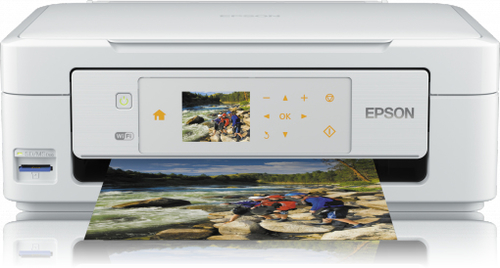
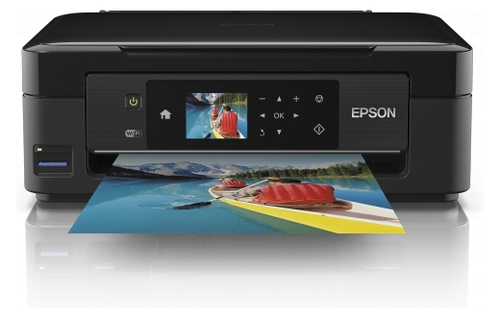
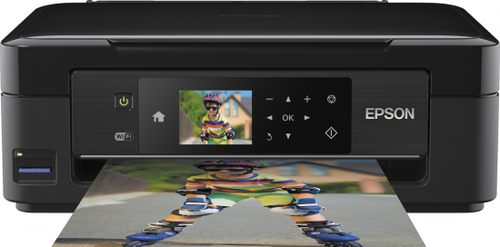
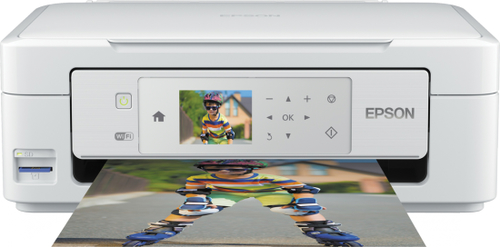
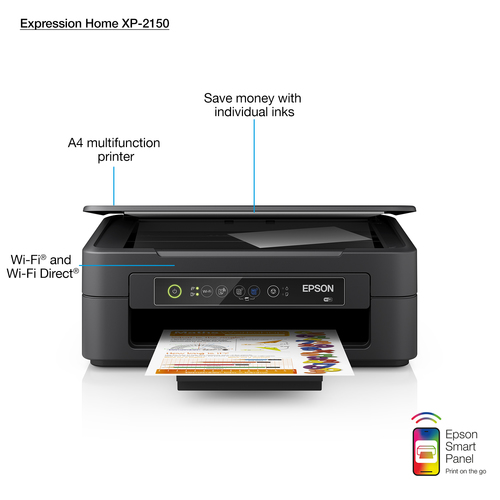
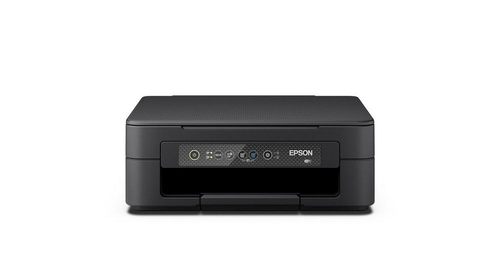
Compare printers with independent expert reviews, COR Scores and exact-model specifications. Find the best fit for your needs, explore the buying advice below and check available UK retailer offers.
Show moreShow less +
Choosing the best printers starts with how you will use them. Consider occasional home documents, school and home office, photos and crafts, then match the features and practical requirements to your shortlist.
Our UK printer reviews comparison brings together published critics’ assessments and recorded product specifications. A COR Score converts eligible ratings to five points and gives each publisher equal weight. Read the original reviews for the reasoning, tested configuration and review date; an average becomes available after three distinct critics.
Use the available category filters to explore recorded features. Open each product to check its full manufacturer code, configuration and current review coverage. Compare retailer offers for that exact version, including condition, accessories and delivery.
Below the results, explore the buying guides, work through how to choose, or use the glossary to make sense of unfamiliar specifications.
COR ScoretbdAvailable after 3 critic reviews0 critics
Select a product to check its exact model, reviewed version and available retailer offers. Matching model options are grouped together where supported; the displayed score belongs to the shown option. Individual critic reviews remain visible while a product builds towards three critics for a COR Score.
Your reading library
Printer buying guides
Understand the features and specifications you see in printer reviews. Read the complete guide or explore a focused topic.
Monthly pages, colour use, scans, paper sizes and document types
Consumables
Exact ink or toner parts, yields, maintenance items and prices
Paper handling
Duplex printing, duplex scanning, document feeder and paper access
Setup support
Footprint, mobile, desktop, network, firmware and drivers
Use the exact model’s manual and manufacturer specifications to confirm measurements, connections and supported features.
Keep your priorities together. A short set of notes makes it easier to compare complete offers and discuss your requirements with a retailer or installer.
Buying evidence
Independent reviews can reveal setup friction, photo quality, feeding reliability and software annoyances. Match review and consumable numbers to the exact regional model, because bundled cartridges and features may differ.
Practical check Do not compare only cost per page. An inexpensive print is no help if the machine will not handle your paper, scans awkwardly or loses driver support before its consumables are used.
An automatic document feeder feeds a stack for scanning or copying; it is separate from automatic duplex printing. Duplex scanning may require two sensors or two passes, so check whether it scans both sides in one pass if that affects a regular workflow.
Practical check Confirm the maximum originals, paper sizes and scan destination you need. A printer may scan to a phone app but not to a network folder or email without a computer or account.
Compare cartridge or toner part numbers, estimated yield and replacement price for your documents, but recognise that coverage, cleaning cycles and print jobs change real cost. A cheap machine can be expensive if it needs small proprietary cartridges.
Practical check For infrequent printing, check maintenance routines, expiry guidance and whether a cartridge is available locally. Consider paper, waste containers, drums and service as part of ownership rather than only ink cost.
Choose your main priority, then compare the evidence that matters most for your setup.
Your main use
What to look for
What to weigh up
Occasional home documents
Reliable wake-up, scanner, low maintenance and straightforward setup
Low purchase cost can conceal expensive consumables.
School and home office
Duplex printing, mobile use, paper capacity and scanning
A multifunction machine takes more desk space.
Photos and crafts
Paper support, colour workflow and replaceable inks
Photo-quality printing can be slow and media-specific.
01
Compare the complete cost
Include the product, delivery, required accessories and any setup or installation. Check relevant consumables, subscriptions and replacement parts over the period you expect to own it.
02
Prioritise everyday features
Use your planning notes to identify essential functions and connections. Confirm them for the exact model and configuration, then weigh optional features against the difference in price.
03
Read beyond the average
Read the original critics’ findings for your priorities. Check the date and tested version, then compare the evidence alongside the COR Score and number of distinct critics.
04
Match the complete offer
Check the manufacturer code, generation, configuration, condition and included items. Confirm stock, delivered price, returns and warranty terms with the retailer before ordering.
An illustration of conversion, not a rating for a listed product.
01
Check the match
Identify the exact product and the version reviewed. Check model codes, configuration and the included package.
02
Compare on one scale
Convert eligible ratings to five points, count each publisher once and give every critic equal weight.
03
Require three critics
Show the average to two decimal places after three distinct critics. Otherwise show tbd while keeping individual reviews visible.
Read the score alongside the critic count, review dates, tested version and strengths that matter to you. Linked reviews of related hardware remain separate from the selected product’s score.
Explore the catalogue
A growing choice to discover
Compare the recorded models, explore different configurations and follow the available expert reviews. Use each product page for its latest evidence and retailer links.
Follow a manufacturer or a selection based on recorded product features.
Your questions, answered
Printer buying FAQ
Ten answers to help you make an informed choice.
01Are cartridge yields guaranteed?+
No. They are standardised comparison figures; actual yield depends on coverage, jobs and maintenance.
02Is Wi-Fi printing less secure?+
It can be safe when the printer and network are kept updated and secured. Use manufacturer setup guidance and protect the network.
03Does a scanner mean it has an automatic document feeder?+
No. Check the specification for both features.
04How do I choose the best printers for my needs?+
Start with your main use, practical setup and total budget. The comparison table above identifies useful features for different priorities. Use the category filters, then check exact-model specifications and the original reviews for your shortlist.
05What does the COR Score tell me?+
It summarises eligible independent critic ratings on a five-point scale, with one equally weighted rating per publisher. The displayed average has two decimal places. Open the original reviews to see how the findings relate to your priorities.
06Why do some products display tbd?+
A public COR Score becomes available after three distinct critics. Until then, tbd indicates that review coverage is still building; available individual reviews remain visible. It is different from a zero rating.
07Does a review cover every version or accessory bundle?+
Check the version actually reviewed. Confirmed equivalent colour, storage or accessory variants can share model-level reviews with a tested-version label. Related hardware, different generations and other distinct editions are shown separately and do not contribute to the selected product’s score.
08How can I filter the printers?+
Filters use the recorded specifications for each model or option. Choose a brand or feature, then apply your filters to narrow the results. Missing information is not treated as confirmed feature support. Open the product page to check the full specification.
09What should I check when comparing retailer offers?+
Match the complete manufacturer code, configuration, condition and included items. Add delivery and necessary accessories to compare the total cost, and confirm stock, warranty and returns details with the retailer.
10How should I use older reviews or previous-generation models?+
Check the review date, tested version and current manufacturer support. Compare the features you need, replacement parts or consumables where relevant, and the complete offer. A useful older review can still explain a model well, while availability and services may have changed.
Related categories
Explore the rest of your setup
Compare complementary products and other ways to meet your needs.